Author: Dominic

  • Best Laptop for Excel and Accounting in Kenya

    Best Laptop for Excel and Accounting in Kenya

    The best laptop for Excel and accounting in Kenya depends on the files and business applications you actually use. A small cashbook needs less hardware than large workbooks with several imports, formulas and add-ins. For regular multitasking, compare 16GB RAM configurations with an SSD, then test a representative workbook. Avoid choosing on the Core i5 or Core i7 label alone. This guide uses listed Kenyan shop offers and a practical file test to help narrow the decision.

    Investigate the HP EliteBook 850 G8 if a larger screen is useful at your desk. Compare the 840 G8 if you prefer a 14-inch format. The ThinkPad T480s offers a listed 512GB SSD at a lower price, with an older processor generation to consider.

    Quick comparison: listed configurations and prices

    Model Advertised configuration Listed price Listing shop
    HP EliteBook 850 G8 Intel Core i5 (11th generation); 16GB RAM; 256GB SSD KSh 37,800 Onit Computers Nairobi
    HP EliteBook 840 G8 Intel Core i5 (11th generation); 16GB RAM; 256GB SSD KSh 37,800 Onit Computers Nairobi
    Lenovo ThinkPad T480s Intel Core i7 (8th generation); 16GB RAM; 512GB SSD KSh 29,700 Onit Computers Nairobi

    Prices checked on Laptop Prices Kenya on 20 November 2026. These are advertised configurations, all listed as Ex-UK refurbished. They are not checkout confirmations or a survey of every Kenyan seller. Confirm the exact unit, current total, battery condition and written terms with the named shop.

    Start with the workbook, not the processor badge

    Describe your normal files before shopping. Note their size, the number of sheets, external connections and any macros or add-ins. Also list the apps that stay open beside Excel. A laptop does not work on the spreadsheet alone when a browser, email and a call are competing for resources.

    File size is only a rough clue. Two workbooks of similar size can behave differently because their formulas and data models differ. Therefore, use a sanitised copy of a real task for testing. Remove customer names, account details and other confidential records before sharing the file with a shop.

    Workload Practical buying priority Important compatibility check
    Small cashbooks and invoices SSD, readable screen and comfortable keyboard Required accounting app and printer
    Several workbooks with browser tools 16GB RAM as a starting target Add-ins, file links and Office edition
    Large data models and repeated imports Measure memory use; assess whether more RAM is needed 64-bit suitability and legacy components

    Why memory and Office edition both matter

    RAM holds the information your active applications use. More RAM can help when the workload needs it, but it cannot correct every slow formula or broken connection. Microsoft’s Excel specifications and limits describe how memory affects large workbooks and data models.

    Check Office bitness separately from Windows bitness. Some older add-ins or integrations require a particular edition. Microsoft provides guidance on 32-bit versus 64-bit Office. Confirm the requirements of the accounting supplier before changing an established setup.

    Similarly, do not assume that every accounting package supports every operating system. Ask the vendor about the exact version you use, its database component, peripheral drivers and migration procedure. This is especially relevant when moving from an old office computer to a different platform.

    Compare the exact listed configurations

    The EliteBook 850 G8 listing advertises an 11th-generation Core i5, 16GB RAM and a 256GB SSD. Its listed 15.6-inch screen makes it a candidate for desk-based spreadsheet work. However, confirm resolution and keyboard layout on the unit. We have not independently checked its number pad or tested a workbook on it.

    The EliteBook 840 G8 offer has the same advertised CPU generation and memory capacity, with a smaller listed screen. That makes it worth comparing if you move between work locations. Its 256GB SSD could be enough for some users, but account for application files, local backups and business documents before deciding.

    The ThinkPad T480s option lists an 8th-generation Core i7, 16GB RAM and a 512GB SSD. It offers more storage at a lower advertised price in this shortlist. However, the processor generation and refurbished battery condition need attention. A newer model name alone is not a benchmark, so let the file test settle close choices.
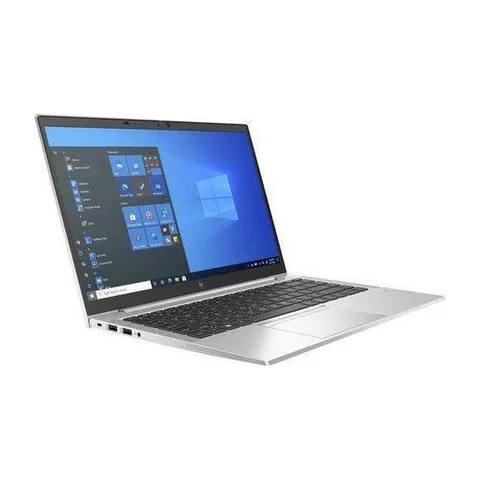
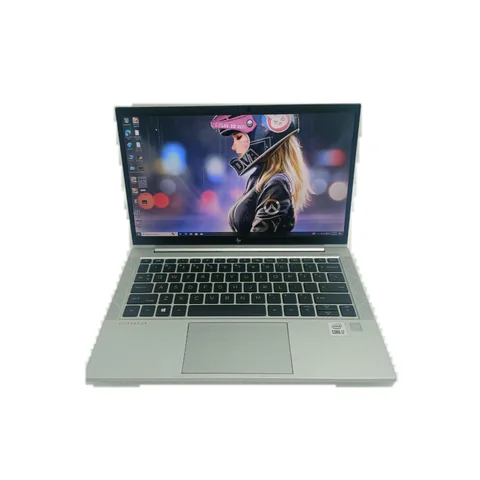
    HP EliteBook 840 G8 catalog product photograph
    Catalog photograph sourced from LaptopPrices.co.ke. Confirm the actual unit and configuration with the seller.

    A repeatable spreadsheet test for the shop

    1. Prepare a non-sensitive workbook that reflects your real work.
    2. Record the Excel version and confirm that required add-ins are present.
    3. Open the workbook and your usual supporting applications.
    4. Recalculate formulas, refresh the intended data connections and apply common filters.
    5. Save a copy and reopen it to check that the workflow still works.
    6. Repeat under the same power setting on each candidate.

    Record what you observe without turning the exercise into a precise benchmark. Network-connected data can change the timing. Antivirus activity, background updates and power settings can also affect results. If a test fails, investigate the cause rather than immediately blaming the processor.

    For a business-critical system, request help from your software supplier. They may know compatibility issues that a general laptop seller will not. A successful spreadsheet demonstration does not prove that every part of your accounting setup will migrate smoothly.

    Check the screen, keyboard and backup plan

    A readable display matters when you work with rows of numbers. Open a sheet at your preferred scaling and compare two documents side by side. If you plan to use an external monitor, confirm the actual display connection and necessary adapter.

    For frequent number entry, try the keyboard layout rather than guessing from a product photograph. An external number pad may be an option, but include its price and connection requirements in the budget. The RAM and storage guide can help with the remaining configuration choices.

    Finally, separate working files from backups. Keeping the only backup on the same SSD does not protect against losing the laptop. Test your restore process with a sample file before relying on it for business records.

    Common questions

    Is 16GB RAM enough for all Excel work?

    No single capacity suits every workbook. It is a practical starting point for the workloads described here. Large models may need more, while simple sheets may need less. Measure a representative task.

    Will a dedicated graphics card make accounting faster?

    Do not buy one as a general cure for slow accounting software. Check which part of the workflow is slow and what the software vendor recommends before spending.

    Should I pick the larger screen?

    Choose it if it improves your daily reading and number entry. If you usually work on an external monitor, portability and connection support may matter more.

    Choose the best laptop for Excel and accounting in Kenya

    Compare real configurations, confirm software compatibility and run a non-sensitive file test. Compare the shortlisted laptops, then ask the seller to demonstrate the exact unit. Explore the business laptop hub if you need more options.

    Research method and sources

    This AI-assisted guide compares published specifications and advertised marketplace offers checked on 20 November 2026. It is not a hands-on review. Individual battery life, exact CPU part numbers and any omitted graphics details remain unverified. Laptop Prices Kenya helps buyers compare independent shops; the selling shop handles the sale and its own warranty terms.
  • Best Laptop for Small Business Owners in Kenya

    Best Laptop for Small Business Owners in Kenya

    The best laptop for small business owners in Kenya is the one that supports the business without creating avoidable downtime. Start with the tasks that bring in revenue: invoices, stock records, client communication and the software your staff use. For a busy owner switching between several apps, a 16GB RAM laptop with an SSD is a useful starting point. However, buying the right configuration is only part of the decision. You also need clear repair arrangements, licensed software and a plan for recovering important files.

    Compare the HP EliteBook 850 G8 if you want to investigate a larger-screen configuration. Consider the 840 G8 for a 14-inch option with the same advertised RAM capacity. The ThinkPad T480s offers a lower listed price and more SSD space, with an older processor generation to assess.

    Quick comparison: listed configurations and prices

    Model Advertised configuration Listed price Listing shop
    HP EliteBook 850 G8 Intel Core i5 (11th generation); 16GB RAM; 256GB SSD KSh 37,800 Onit Computers Nairobi
    HP EliteBook 840 G8 Intel Core i5 (11th generation); 16GB RAM; 256GB SSD KSh 37,800 Onit Computers Nairobi
    Lenovo ThinkPad T480s Intel Core i7 (8th generation); 16GB RAM; 512GB SSD KSh 29,700 Onit Computers Nairobi

    Prices checked on Laptop Prices Kenya on 20 November 2026. These are advertised configurations, all listed as Ex-UK refurbished. They are not checkout confirmations or a survey of every Kenyan seller. Confirm the exact unit, current total, battery condition and written terms with the named shop.

    Match the laptop to the business role

    A business owner does not always need the same computer as every employee. Someone handling stock and invoices may work at one counter all day. A salesperson may carry a laptop between clients. A designer may need software-specific graphics support that neither person uses.

    Therefore, prepare a one-line brief for each role. Include the required apps, whether the device travels, connected equipment and expected file sizes. You can then compare suppliers against a common request rather than accepting whichever configuration a shop recommends first.

    Role Main purchasing question Useful acceptance test
    Owner or manager Can it handle concurrent accounts, documents and calls? Run a representative busy-hour workload
    Counter or administration staff Does it work with the actual printer and business software? Print a sample and enter test transactions
    Mobile staff Can the full kit travel reliably? Check battery evidence, charger and required ports

    How these three configurations differ

    The EliteBook 850 G8 offer includes a listed 15.6-inch screen, 16GB RAM and a 256GB SSD. The larger format may suit an owner who works with side-by-side documents. However, the screen size alone does not prove resolution, panel quality or keyboard layout. Ask for photographs and test whether the actual layout suits number entry.

    The EliteBook 840 G8 configuration offers a 14-inch screen, 16GB RAM and a 256GB SSD. It may suit a buyer moving between an office and client meetings. Confirm the actual unit’s weight, battery health and included charger. We have not measured its portability or runtime.

    The ThinkPad T480s offer gives you a listed 512GB SSD and 16GB RAM at a lower price. That leaves a larger margin for business accessories in this comparison. Its older CPU generation is the main specification trade-off. Check software support and condition before treating the saving as a clear win.

    HP EliteBook 840 G8 catalog product photograph
    Catalog photograph sourced from LaptopPrices.co.ke. Confirm the actual unit and configuration with the seller.

    Calculate the cost of ownership, not just the purchase price

    Write down every cost that must be paid before the laptop becomes useful. Include the correct charger, essential upgrades, software, installation and delivery. If a shop bundles Office or another paid application, ask what licence you receive and whether it belongs to your business. An installed program is not proof of a valid transferable licence.

    Next, decide what happens if the laptop stops working. A warranty can help with a covered repair, but it does not automatically give you a replacement computer or restore lost files. Ask the supplier about turnaround times and whether the terms cover labour, parts and the battery.

    You can compare two offers with a simple worksheet: purchase cost plus required setup costs, followed by a separate list of unresolved risks. Keep uncertain repair costs separate rather than pretending they are known. A cheaper machine with unclear service terms may still be acceptable, but make that a conscious decision.

    Buying two laptops: consistency can matter more than a badge

    If you need two devices, compare the combined setup rather than doubling one attractive sticker price. Similar chargers and software can simplify support. However, identical model names do not ensure identical screens, memory or condition. Record each serial number and configuration separately.

    Suppose one member of staff mainly handles documents while the owner uses several demanding apps. Giving the larger memory configuration to the owner may be more useful than buying two higher-tier CPUs. Use actual tasks to allocate the budget.

    Before purchase, verify compatibility with your business application supplier. This is especially useful for older printer drivers, accounting add-ins or desktop systems. Microsoft also explains the choice between 32-bit and 64-bit Office. Check legacy add-ins before changing editions.

    Create a simple handover checklist

    1. Record the serial number, CPU, RAM, SSD and accessories on the receipt.
    2. Install only the software the role needs and retain the licence records.
    3. Create separate staff accounts and document who can administer the device.
    4. Set up a backup and test restoring a non-sensitive sample file.
    5. Confirm who to contact for repairs and where the written terms are stored.

    This checklist also helps when an employee changes roles. The business should retain control of its files and accounts. Avoid putting every important service under one person’s private email address without a recovery plan.

    For refurbished devices, work through the physical inspection checklist. Check the actual processor against Microsoft’s Windows 11 requirements if that operating system is part of your plan.

    Common buying questions

    Should a small business buy refurbished laptops?

    They can be worth comparing when budgets are tight. Condition, support, compatibility and written terms should decide whether a particular unit makes sense. Refurbished status alone does not establish either good or poor value.

    Do I need a Core i7 for invoices and stock records?

    Check the application and workload first. CPU generation, memory and storage all matter. A Core i7 label on its own cannot answer the question.

    Can Laptop Prices Kenya provide the warranty?

    The independent selling shop sets the transaction and warranty terms. Laptop Prices Kenya provides comparison and quotation routes. Confirm the responsible supplier in writing before paying.

    Choose the best laptop for small business owners in Kenya

    Build a brief around the role, compare complete setup costs and keep service terms beside the price. Ask shops for itemised business quotes, stating the number of devices, required software and delivery location. The business hub can help you start the shortlist.

    Research method and sources

    This AI-assisted guide compares published specifications and advertised marketplace offers checked on 20 November 2026. It is not a hands-on review. Individual battery life, exact CPU part numbers and any omitted graphics details remain unverified. Laptop Prices Kenya helps buyers compare independent shops; the selling shop handles the sale and its own warranty terms.
  • Best Laptop for Working From Home in Kenya

    Best Laptop for Working From Home in Kenya

    The best laptop for working from home in Kenya should keep your daily apps responsive while you share a screen, join calls and move between documents. Start by comparing a 16GB RAM laptop with an SSD. Then check the camera, microphone, network connection and monitor ports. An expensive processor will not fix an unstable connection or an uncomfortable desk. This guide compares listed configurations and shows how to spend on a complete home-office setup.

    Our first configuration to investigate is the HP EliteBook 840 G8 with 16GB RAM. The ThinkPad T480s offers more listed SSD space at a lower price. The Dell Latitude 5420 is another option, but its advertised 8GB RAM needs a workload check or a confirmed upgrade quote.

    Quick comparison: listed configurations and prices

    Model Advertised configuration Listed price Listing shop
    HP EliteBook 840 G8 Intel Core i5 (11th generation); 16GB RAM; 256GB SSD KSh 37,800 Onit Computers Nairobi
    Dell Latitude 5420 Intel Core i5 (11th generation); 8GB RAM; 256GB SSD KSh 37,800 Onit Computers Nairobi
    Lenovo ThinkPad T480s Intel Core i7 (8th generation); 16GB RAM; 512GB SSD KSh 29,700 Onit Computers Nairobi

    Prices checked on Laptop Prices Kenya on 20 November 2026. These are advertised configurations, all listed as Ex-UK refurbished. They are not checkout confirmations or a survey of every Kenyan seller. Confirm the exact unit, current total, battery condition and written terms with the named shop.

    Choosing the best laptop for working from home in Kenya

    Write down what happens during your busiest hour. Perhaps you join a call, share a spreadsheet, keep email open and use a browser-based customer system. That combination matters more than whether an advertisement describes the laptop as suitable for office work.

    For example, a writer working mostly in one document has different needs from a support agent running a call system and several dashboards. A designer may need a particular graphics processor. Ask your employer about required software and device policies before choosing hardware.

    Home-work pattern Buy for Test before purchase
    Writing, email and browser tools Comfortable keyboard, SSD and enough memory Type a page with your normal tabs open
    Calls plus screen sharing and spreadsheets 16GB RAM as a practical target; dependable audio Join a call and share an actual file
    Two displays or specialist work Confirmed display support and software compatibility Connect the intended monitor or confirm the exact dock

    What the three listed options give you

    The EliteBook 840 G8 listing pairs an 11th-generation Core i5 with 16GB RAM and a 256GB SSD. It is the most straightforward memory configuration in this particular home-office comparison. However, the seller has not supplied a full CPU part number or measured battery life. Treat those as questions to resolve, rather than reasons to assume premium performance.

    The ThinkPad T480s configuration has 16GB RAM and a 512GB SSD. It can be worth comparing if your budget must also cover a monitor or headset. The trade-off is its older processor generation and refurbished condition. Test the keyboard and cooling while using the applications that matter to your job.

    The Latitude 5420 listing advertises an 11th-generation Core i5, 8GB RAM and a 256GB SSD. It belongs on the comparison list, but its lower memory capacity changes the buying decision. Confirm upgrade support for the actual unit and get the cost in writing. Do not compare its sticker price with a 16GB configuration while ignoring that difference.

    Dell Latitude 5420 catalog product photograph
    Catalog photograph sourced from LaptopPrices.co.ke. Confirm the actual unit and configuration with the seller.

    Spend on call quality before unnecessary upgrades

    Start with a short trial call. Speak at your usual volume, listen through your intended headset and ask another person whether the microphone is clear. Test screen sharing too. A built-in camera that looks acceptable in a bright shop may look very different in your home office.

    Lighting can change the result without changing the laptop. Position the screen so a window does not sit directly behind you. Next, check that your headset works with the laptop’s available connection. If it uses a USB receiver, include that receiver in the test rather than assuming Bluetooth will provide the same experience.

    Zoom’s published desktop requirements distinguish basic access from a more comfortable setup and recommend 16GB RAM. Use your employer’s actual meeting software requirements as well. We have not measured call performance on these individual refurbished units.

    Check the home network and desk connections

    A new laptop cannot create reliable broadband. Try your normal work location and check whether calls remain stable there. If you plan to use Ethernet, confirm the laptop has the required socket or budget for a compatible adapter. Ask the shop to demonstrate the connection.

    Monitor support also needs care. A USB-C connector alone does not prove that a port carries video or accepts charging. Confirm the exact port features in the manufacturer’s documentation, then test the cable or dock you intend to use. This matters most if you want a single cable for your screen, network and charger.

    For long sessions, an external keyboard and monitor may improve your setup more than paying extra for a processor badge. Compare what you can afford as a complete package. Also make sure the desk has space for the equipment before adding it to the budget.

    A home-office budget worksheet

    1. Record the exact laptop configuration and advertised price.
    2. Add essential memory or storage upgrades, with written shop quotes.
    3. Add the headset, monitor cable and adapter your job requires.
    4. Allow for software and your normal connection costs.
    5. Compare the final total with the money available, leaving room for an unexpected repair.

    If the total goes over budget, remove optional features before cutting essentials. A touchscreen is not necessary for most desk work. In contrast, reliable audio may directly affect your ability to take calls. Use the memory and SSD guide when deciding which upgrades to keep.

    Questions worth asking the seller

    Can I test the laptop with my work applications?

    Ask before visiting and use a demonstration account or non-sensitive sample files. Check login, screen sharing and any required browser extensions. Remove your accounts when the demonstration ends.

    Do I need a dedicated graphics card for video meetings?

    Do not buy one solely because a listing mentions graphics memory. Check the meeting application’s requirements and your other work. Specialist creative applications may change the answer.

    Should I pay more for a refurbished laptop with a newer CPU?

    Compare the full configuration and condition first. A newer CPU with insufficient memory, a weak battery or missing accessories may offer less value for your actual setup.

    Build a setup that matches your workday

    The best laptop for working from home in Kenya should pass your busiest-hour test and fit the whole desk budget. Request quotes for the required configuration, including any RAM upgrade and essential accessories. You can also use the business laptop hub to explore more current listings.

    Research method and sources

    This AI-assisted guide compares published specifications and advertised marketplace offers checked on 20 November 2026. It is not a hands-on review. Individual battery life, exact CPU part numbers and any omitted graphics details remain unverified. Laptop Prices Kenya helps buyers compare independent shops; the selling shop handles the sale and its own warranty terms.
  • Best Laptop for Business and Personal Use in Kenya

    Best Laptop for Business and Personal Use in Kenya

    The best laptop for business and personal use in Kenya should handle your paid work without making everyday use awkward. Start with a 16GB RAM configuration and an SSD if you keep work apps, research tabs and personal files open together. A refurbished business laptop can offer useful specifications at a lower advertised price. However, condition matters as much as the model name. Our shortlist compares actual configurations listed on Laptop Prices Kenya, with clear limits where the seller has not supplied enough detail.

    For most mixed-use buyers, compare the HP EliteBook 840 G8 with 16GB RAM first. Consider the ThinkPad T480s if a 512GB SSD matters more than a newer processor generation. Choose the ThinkPad T14 if its particular keyboard, ports and condition suit your routine. These are specification-based options, rather than tested winners.

    Quick comparison: listed configurations and prices

    Model Advertised configuration Listed price Listing shop
    HP EliteBook 840 G8 Intel Core i5 (11th generation); 16GB RAM; 256GB SSD KSh 37,800 Onit Computers Nairobi
    Lenovo ThinkPad T480s Intel Core i7 (8th generation); 16GB RAM; 512GB SSD KSh 29,700 Onit Computers Nairobi
    Lenovo ThinkPad T14 Intel Core i7 (10th generation); 16GB RAM; 256GB SSD KSh 36,720 Onit Computers Nairobi

    Prices checked on Laptop Prices Kenya on 20 November 2026. These are advertised configurations, all listed as Ex-UK refurbished. They are not checkout confirmations or a survey of every Kenyan seller. Confirm the exact unit, current total, battery condition and written terms with the named shop.

    What makes the best laptop for business and personal use in Kenya?

    Make two lists before looking at prices. The first should contain software you must run to earn money. The second should contain your personal activities. Office documents, video calls, films and family browsing form a different workload from design software, games or local AI models.

    Next, identify the most demanding task you perform regularly. Buy for that task, while keeping a small allowance for growth. A laptop that handles invoices well may still be the wrong choice for editing long videos. Equally, buying a graphics workstation for email and streaming can leave less money for a good monitor or dependable backup storage.

    Your routine Practical starting point What to check first
    Documents, browser apps and occasional calls 8GB can work; consider 16GB for more simultaneous apps Actual multitasking with your normal browser tabs
    Spreadsheets, calls and personal media together 16GB RAM and an SSD Workbook speed, storage space and screen comfort
    Creative work, games or specialist software Requirements depend on the application Official software requirements and the exact graphics chip

    Three configurations and their real compromises

    The EliteBook 840 G8 option combines an advertised 11th-generation Core i5 with 16GB RAM. That makes it a sensible configuration to investigate for everyday mixed use. Its listed 256GB SSD is the main compromise. Once you add work software and personal photos, you may need more storage. Obtain a written upgrade quote before comparing its total with another laptop.

    The ThinkPad T480s option includes 16GB RAM and a 512GB SSD at a lower listed price. That gives it a clear storage advantage in this comparison. However, its processor belongs to an older generation. Ask for the full processor number and test your actual software. Do not assume that its Core i7 badge automatically makes it faster than every newer Core i5.

    The ThinkPad T14 listing also offers 16GB RAM, with a 256GB SSD. It provides a different configuration to compare within a similar spending range. Its listing does not establish battery runtime, panel quality or the exact processor suffix. Those gaps prevent a firm performance ranking. A careful inspection should decide between closely priced units.

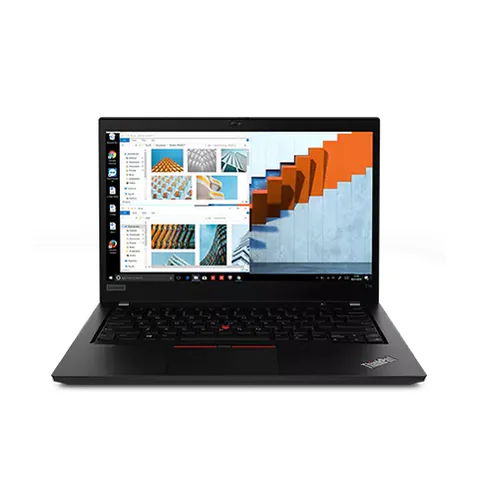
    Lenovo ThinkPad T480s catalog product photograph
    Catalog photograph sourced from LaptopPrices.co.ke. Confirm the actual unit and configuration with the seller.

    Keep work and personal use separate

    A shared machine needs a sensible setup. Use a separate user account for family browsing, and keep work files within your own account. Separate browser profiles also help prevent sending a personal attachment from a work email address. They are a useful organisational tool, although they do not replace a clear employer security policy.

    If your employer provides a managed laptop, ask whether personal use is allowed before treating it as a family computer. If you own the device, ask whether the employer requires a particular operating system, encryption setup or management software. Resolve that question before buying, especially if the work involves client records.

    Plan a backup from the start. An SSD improves responsiveness, but it does not protect files from loss, theft or accidental deletion. Keep another copy of important documents in a location you can restore from. Try opening a backed-up file so you know the process works.

    A price comparison that includes the whole setup

    Compare like for like. Add any necessary RAM or SSD upgrade, a suitable charger, required software, delivery and your first essential accessory. Ask whether the advertised warranty covers the battery, because used-battery wear can change the value of an otherwise attractive deal.

    For example, a cheaper 256GB configuration may be a poor saving if you immediately need a larger drive. Conversely, a 512GB laptop is not automatically better value if the battery fails your mobile-work needs. Put each cost beside a reason, rather than buying every upgrade a shop suggests.

    Use the RAM and storage guide to decide which upgrades matter. Then compare the exact configuration shown in each offer. A model-family starting price may belong to an 8GB unit, even when the article discusses a 16GB version.

    Inspect these five things before paying

    1. Open your main work application and a realistic set of browser tabs.
    2. Check the processor number, installed RAM and SSD capacity in system settings.
    3. Test the webcam, microphone, keyboard, Wi-Fi and the ports you use.
    4. Ask for a battery report and try the machine away from its charger.
    5. Get the serial number, included accessories, return terms and warranty scope in writing.

    Microsoft documents the requirements for Windows 11 compatibility. Check the actual unit rather than assuming that an installed copy proves support. The used-laptop inspection guide provides a broader physical checklist.

    Common questions

    Is 8GB RAM enough for both business and personal use?

    It can suit a modest workload. However, 16GB provides more room for several apps at once. Keep the distinction clear: this is a practical buying preference, not a promise that every 8GB laptop will struggle.

    Should I choose a touchscreen?

    Choose one if touch input improves a real task. Otherwise, compare screen quality, condition and storage before paying extra. Touch support also does not establish active-pen support.

    Which of these laptops has the longest battery life?

    The listings do not provide comparable measured runtimes. Ask each seller for unit-specific battery evidence and test under similar brightness and workload settings. We cannot name a battery winner from these records.

    Choose around your main task

    The best laptop for business and personal use in Kenya is the configuration that fits your work, passes inspection and leaves room in your budget for the setup you need. Compare the shortlisted laptops, then confirm the exact unit and written terms with the shop before paying.

    Research method and sources

    This AI-assisted guide compares published specifications and advertised marketplace offers checked on 20 November 2026. It is not a hands-on review. Individual battery life, exact CPU part numbers and any omitted graphics details remain unverified. Laptop Prices Kenya helps buyers compare independent shops; the selling shop handles the sale and its own warranty terms.
  • Best Laptop for Web Development in Kenya

    Best Laptop for Web Development in Kenya

    The best laptop for web development in Kenya should handle your editor, browser, build tools and local services together. For a typical multitasking starting point, compare 16GB RAM and an SSD, then run a representative project. A lightweight editor’s own minimum requirements do not describe the whole development environment. WordPress, PHP/Laravel, Java, frontend builds and backend services can place very different demands on a laptop.

    The listed T480s and EliteBook 840 G8 configurations provide two 16GB options to investigate. The 32GB EliteBook x360 example is relevant when a measured workload needs more memory. Its convertible features may be unnecessary for development, so compare the full cost against the actual need.

    Quick comparison: listed configurations and prices

    Model Advertised configuration Listed price Listing shop
    Lenovo ThinkPad T480s Intel Core i7 (8th generation); 16GB RAM; 512GB SSD KSh 29,700 Onit Computers Nairobi
    HP EliteBook 840 G8 Intel Core i5 (11th generation); 16GB RAM; 256GB SSD KSh 37,800 Onit Computers Nairobi
    HP EliteBook x360 1030 G8 Intel Core i7 (11th generation); 32GB RAM; 512GB SSD KSh 61,560 Onit Computers Nairobi

    Prices checked on Laptop Prices Kenya on 20 November 2026. These are advertised configurations, all listed as Ex-UK refurbished. They are not checkout confirmations or a survey of every Kenyan seller. Confirm the exact unit, current total, battery condition and written terms with the named shop.

    Describe the development stack before buying

    List the editor, language runtime, database, browser and supporting services. Also note whether you use containers, virtual machines, mobile emulators or local AI tools. Those additions can change the purchase much more than the broad label “coding”.

    For a student, ask which tools the course expects during the next year. A computer-science or software-engineering course may introduce several stacks. The right buying brief includes the operating system and a representative assignment, not simply a preferred processor brand.

    Development workflow What to measure What to verify
    Frontend and browser testing Build responsiveness with normal tabs open Editor, runtime and browser support
    PHP, Laravel or local WordPress Editor plus web server and database use Required language, database and extension versions
    Java or service-heavy backend work Build tools and application memory together Runtime version and project-specific needs
    Containers and several services Total concurrent resource use Virtualization and host requirements

    Why an editor minimum is only one part of the brief

    Visual Studio Code’s requirements describe the editor. Your project may add a compiler, local server, database and testing tools beside it. Therefore, do not select memory solely from the editor’s installation minimum.

    For container-based work, check Docker’s current host requirements and the intended backend. Confirm the actual CPU and BIOS support before assuming a used machine can run the environment. Account for project data and downloaded images when sizing storage.

    Frontend, backend and full-stack developers can all use a project trial. Choose a normal repository that you are allowed to demonstrate. Avoid sharing employer code or credentials with a retailer.

    Compare the listed options by capacity and constraints

    The T480s offer lists 16GB RAM and a 512GB SSD with an older Core i7 generation. Its storage and lower advertised price make it a useful comparison for budget-conscious developers. However, we have not timed builds or verified every toolchain on the actual unit.

    The EliteBook 840 G8 offer advertises an 11th-generation Core i5, 16GB RAM and a 256GB SSD. It provides a newer listed CPU generation but less storage. Multiple development environments and local databases may make a storage quote worth obtaining before purchase.

    The 32GB x360 1030 G8 configuration lists a 512GB SSD and an 11th-generation Core i7. Investigate it when memory observations justify the extra cost. Do not treat the higher capacity as proof of faster builds, and do not pay for the convertible format unless it adds value to your work.

    HP EliteBook 840 G8 catalog product photograph
    Catalog photograph sourced from LaptopPrices.co.ke. Confirm the actual unit and configuration with the seller.

    A useful project acceptance test

    1. Confirm the intended operating system and supported runtime versions.
    2. Open a permitted sample repository in the chosen editor.
    3. Install or use the project dependencies through an agreed demonstration setup.
    4. Run the normal build, local service and browser workflow together.
    5. Observe memory use, available storage, fan behaviour and responsiveness.
    6. Repeat comparable tasks on each candidate under similar power settings.

    Record what the test establishes and what it leaves unknown. A network download can affect timing. A successful small sample does not guarantee every production build. The purpose is to reveal a mismatch before paying, not to invent a precise benchmark.

    Choose the operating system intentionally

    Confirm the platform your course, employer or project supports. Linux users should check the exact hardware and distribution, including wireless, sleep and external displays. Mobile projects may introduce host-platform requirements beyond ordinary web work.

    If you also need Windows business applications, account for that workflow rather than assuming a future installation will solve every problem. Similarly, confirm how paid development tools and plugins are licensed. A retailer’s installed application is not a substitute for access to your own supported environment.

    Leave room for the setup around the laptop

    A comfortable keyboard and external screen connection can matter during long coding sessions. Test both before buying. Add required adapters and storage upgrades to the complete quote.

    Use the memory and SSD guide and the programming laptop hub for wider comparisons. Inspect refurbished hardware using the used-device checklist.

    Common questions

    Is 16GB RAM enough for full-stack work?

    It is a practical starting configuration to investigate. The number of services and their working data can justify more. Measure a representative project.

    Do I need a dedicated GPU for web development?

    Base that purchase on a specific graphics or local-compute task. It is not a substitute for enough memory and a supported development stack.

    Will Core i7 always compile faster?

    No ranking follows from the badge alone. Exact CPU, cooling, project and power settings matter.

    Find the best laptop for web development in Kenya by testing your stack. Request a quote with the RAM, storage and operating-system requirements, then compare the complete configurations.

    Research method and sources

    This AI-assisted guide compares published specifications and advertised marketplace offers checked on 20 November 2026. It is not a hands-on review. Individual battery life, exact CPU part numbers and any omitted graphics details remain unverified. Laptop Prices Kenya helps buyers compare independent shops; the selling shop handles the sale and its own warranty terms.
  • Best Laptop for NGO Field Officers in Kenya

    Best Laptop for NGO Field Officers in Kenya

    The best laptop for NGO field officers in Kenya should support the reporting workflow when power, connectivity and working conditions are less predictable. Start with the forms, files and mapping tools the role requires. Then assess battery evidence, the complete carrying kit and a way to work offline. A business laptop is not automatically rugged, water-resistant or suitable for direct sun merely because its casing feels strong.

    The EliteBook 830 G7, ThinkPad T14 and T490s below are ordinary refurbished catalog candidates. They provide different screen, memory and storage configurations. None has a verified ruggedness rating in the checked records, so do not treat them as certified field equipment.

    Quick comparison: listed configurations and prices

    Model Advertised configuration Listed price Listing shop
    HP EliteBook 830 G7 Intel Core i5 (10th generation); 8GB RAM; 256GB SSD KSh 32,400 Onit Computers Nairobi
    Lenovo ThinkPad T14 Intel Core i7 (10th generation); 16GB RAM; 256GB SSD KSh 36,720 Onit Computers Nairobi
    Lenovo ThinkPad T490s Intel Core i7 (8th generation); 16GB RAM; 512GB SSD KSh 31,320 Onit Computers Nairobi

    Prices checked on Laptop Prices Kenya on 20 November 2026. These are advertised configurations, all listed as Ex-UK refurbished. They are not checkout confirmations or a survey of every Kenyan seller. Confirm the exact unit, current total, battery condition and written terms with the named shop.

    Build the fieldwork brief around the assignment

    List what must happen away from the office: entering survey results, reviewing photographs, opening maps, joining calls or writing reports. Agriculture and environmental-science students may have similar tasks, but a specialist mapping project can require a different configuration from basic form entry.

    Next, identify what must work without a connection. Download a permitted sample project and test it offline before travel. Confirm how edits will sync later and how the team will avoid conflicting copies. An online application visible in a browser is not automatically an offline tool.

    Field task Priority Check before travel
    Forms and reports Offline access, comfortable input and dependable storage Enter, save and reopen a sample without internet
    Maps and geospatial files Software compatibility and project capacity Open the real type of map and its local data
    Photos and connected equipment Working reader or cable and enough space Import a permitted sample through the intended connection

    Compare the ordinary catalog candidates

    The EliteBook 830 G7 listing includes a 13.3-inch screen, 8GB RAM and a 256GB SSD. It may be worth investigating for a modest field-reporting workload. However, screen size does not establish brightness, carrying weight or outdoor readability. Ask for evidence and try your documents under realistic conditions.

    The ThinkPad T14 offers 16GB RAM and a 256GB SSD. That gives more listed memory for several apps, but storage remains the same capacity as the smaller HP example. Check the full CPU number, battery health and the actual equipment connections you need.

    The T490s configuration lists 16GB RAM and a 512GB SSD. Its greater storage may help with local project copies and photographs. Nevertheless, the catalog does not establish impact protection or resistance to dust, moisture or heat. Use a protective transport plan and seek rated equipment if the assignment requires it.

    Lenovo ThinkPad T14 catalog product photograph
    Catalog photograph sourced from LaptopPrices.co.ke. Confirm the actual unit and configuration with the seller.

    Check environmental limits rather than guessing

    For dusty or hot work locations, consult the exact manufacturer’s operating and storage guidance. Do not infer a rating from a product-family name. Likewise, a spill-resistant keyboard claim, where documented, would not mean that the whole laptop is waterproof.

    Plan to use the device on a stable surface with ventilation. Keep it protected during transport and avoid treating a laptop bag as a verified environmental enclosure. If an organisation requires a ruggedness standard, request the actual model-specific documentation before purchase.

    Outdoor visibility is a separate question. Ask about the installed panel’s brightness and surface finish, then test readability where practical. A screen resolution or diagonal measurement alone cannot answer that question.

    Power and connectivity need a complete-kit test

    Request a battery report using Microsoft’s documented command. Compare the capacity information with an unplugged sample task. Used-battery condition varies, so this guide cannot promise a number of field hours for the listed units.

    If you plan to use a hotspot, test the intended phone or internet device with the laptop. Check the software’s ability to recover from a dropped connection. A Wi-Fi generation label is not a guarantee of coverage at the work site.

    Confirm charger compatibility and available charging arrangements before departure. Include any required adapters and spare equipment in the written quote. An accessory that is missing from the kit can prevent useful work even when the laptop itself meets the specification.

    Protect the project and its records

    Follow the organisation’s rules for participant and client data. Use permitted sample files when demonstrating the laptop in a shop. Keep another authorised copy of important project work and test recovery before relying on the process in the field.

    Record serial numbers and assign responsibility for equipment handover. A warranty does not automatically replace a device immediately or recover the only copy of a report. Include that downtime risk in the plan.

    The used-laptop checklist covers hardware inspection. If the role requires Windows, confirm current hardware compatibility for the actual unit.

    Common questions

    Are these rugged laptops?

    The checked records do not establish that. Seek exact model documentation if ruggedness or an environmental rating is required.

    Can a laptop work well on hotspot internet?

    Test the intended hotspot and applications. Results depend on the connection and location as well as the laptop.

    Does a larger battery-health percentage guarantee a longer day?

    No. Capacity evidence helps assess condition, but workload, display settings and the battery itself affect runtime.

    Choose the best laptop for NGO field officers in Kenya by testing the actual assignment and kit. Request a fieldwork quote with software, power, connectivity and any required environmental standard clearly stated.

    Research method and sources

    This AI-assisted guide compares published specifications and advertised marketplace offers checked on 20 November 2026. It is not a hands-on review. Individual battery life, exact CPU part numbers and any omitted graphics details remain unverified. Laptop Prices Kenya helps buyers compare independent shops; the selling shop handles the sale and its own warranty terms.

  • Best Laptop for Content Writers in Kenya

    Best Laptop for Content Writers in Kenya

    The best laptop for content writers in Kenya should make research, typing and revision comfortable throughout the working day. Compare a responsive SSD-based setup, enough memory for your normal browser tools and a keyboard you can use confidently. For writers who also handle websites, SEO dashboards or social media accounts, test the full browser workload before buying. A dedicated graphics claim should not distract from those everyday requirements.

    The ThinkPad T480s offers a listed 16GB/512GB configuration at a lower price. The EliteBook 840 G8 provides a newer advertised CPU generation with a smaller SSD. The T490s adds another 16GB/512GB option. Their actual keyboard, screen and battery condition still need inspection.

    Quick comparison: listed configurations and prices

    Model Advertised configuration Listed price Listing shop
    Lenovo ThinkPad T480s Intel Core i7 (8th generation); 16GB RAM; 512GB SSD KSh 29,700 Onit Computers Nairobi
    HP EliteBook 840 G8 Intel Core i5 (11th generation); 16GB RAM; 256GB SSD KSh 37,800 Onit Computers Nairobi
    Lenovo ThinkPad T490s Intel Core i7 (8th generation); 16GB RAM; 512GB SSD KSh 31,320 Onit Computers Nairobi

    Prices checked on Laptop Prices Kenya on 20 November 2026. These are advertised configurations, all listed as Ex-UK refurbished. They are not checkout confirmations or a survey of every Kenyan seller. Confirm the exact unit, current total, battery condition and written terms with the named shop.

    Choose for the work you publish

    A long-form writer may spend hours switching between sources and a document. A journalist may add recordings and photographs. A social media manager or ecommerce seller may keep several accounts, image tools and shop dashboards open. These workflows share browser and writing needs, but their heaviest tasks differ.

    List the tools that stay open during a normal deadline. Then identify anything specialist: RAW photo editing, video production, local development or a large data export. If one of those tasks is central, check its own requirements before selecting a general writing laptop.

    Work pattern Buying priority Useful sample
    Articles and reports Typing comfort and a readable reference view Write while consulting several source documents
    SEO and digital marketing Browser multitasking and exports Use the normal dashboards and a sample report
    Social media or ecommerce Account separation and image workflow Prepare a sample listing or post without client data

    Compare the shortlist by useful differences

    The T480s configuration advertises 16GB RAM and a 512GB SSD. It is worth investigating when you need storage for research and want to preserve accessory money. Its older CPU generation is a clear trade-off, and the listing does not establish how the keyboard feels today.

    The EliteBook 840 G8 lists an 11th-generation Core i5, 16GB RAM and a 256GB SSD. It gives you a different platform to compare, but the smaller SSD may matter if you store many recordings or images locally. Obtain an upgrade quote if the current capacity will not suit your files.

    The T490s offer combines 16GB RAM and a 512GB SSD with an older listed Core i7 generation. Do not assume it beats the newer Core i5 option. Compare your actual workflow and the condition of each unit. Battery runtime and display quality remain unmeasured.

    HP EliteBook 840 G8 catalog product photograph
    Catalog photograph sourced from LaptopPrices.co.ke. Confirm the actual unit and configuration with the seller.

    Run a writing test before paying

    Type a few paragraphs, including punctuation, shortcuts and editing commands. Check the keys you use often, not just letters. Try selecting text, moving between windows and scrolling through a long document with the trackpad.

    Next, put your writing document beside a reference PDF or browser page. Adjust text size until it is comfortable. If the arrangement feels cramped, consider a different screen or an external monitor at your desk. Screen diagonal alone does not establish readability.

    Use the exact tools your work requires. Confirm operating-system compatibility and check Office edition requirements if your clients depend on particular add-ins or file workflows.

    Keep client accounts and research organised

    Separate browser profiles can help keep client accounts and bookmarks distinct. They reduce everyday mix-ups, but they do not replace an employer’s security rules. Test that the normal set of profiles and applications can run comfortably together.

    Keep a clear folder structure for source material, drafts and final files. Save another copy of important work and try restoring a sample. A writing laptop’s value includes the ability to recover a deadline document, not just its startup speed.

    For reporting away from the desk, download essential permitted materials before travelling. Check that they open offline. Also test the microphone or recorder connection if audio is part of your research.

    Spend where it improves the deadline workflow

    A comfortable keyboard, suitable screen and dependable charger may deserve money before touch input or a higher CPU badge. If you mostly work at a desk, compare the total cost of a laptop and external setup. If you travel frequently, request actual battery evidence and complete-kit weight.

    Use the RAM and storage guide for capacity decisions. Before paying for a refurbished unit, complete the inspection checklist.

    Common questions

    Do writers need a powerful GPU?

    Choose graphics hardware for a verified application requirement. Writing and browser work alone should not make an unspecified graphics upgrade the main priority.

    Is 16GB RAM useful for SEO work?

    It can provide room for several browser tools and documents. Test the actual workload rather than treating a capacity as a universal guarantee.

    Which keyboard is best?

    We have not tested the individual units. Type on each candidate and choose a layout and condition that suit your work.

    Find the best laptop for content writers in Kenya by testing a realistic deadline session. Compare the listed configurations or request a complete work-setup quote.

    If you use Google Workspace or another browser-based work suite, include the actual browser, accounts and normal documents in the trial. The same principle applies to client shop dashboards and social tools: test the complete working session rather than an empty browser.

    Research method and sources

    This AI-assisted guide compares published specifications and advertised marketplace offers checked on 20 November 2026. It is not a hands-on review. Individual battery life, exact CPU part numbers and any omitted graphics details remain unverified. Laptop Prices Kenya helps buyers compare independent shops; the selling shop handles the sale and its own warranty terms.

  • Certified Refurbished Laptops in Kenya: Buyer Checks

    Certified Refurbished Laptops in Kenya: Buyer Checks

    A certified refurbished laptop in Kenya needs more evidence than a label in an advertisement. Ask who performed the refurbishment, what checks they completed and which written terms apply to the actual unit. The current catalog identifies refurbished configurations, but it does not establish an independently verified certification programme for the offers below. Treat “certified”, condition grades and warranty statements as claims to examine.

    Start with the hardware you need, then compare the evidence and total price. A carefully inspected used business laptop may suit a buyer, but the model name alone cannot establish battery condition, repair quality or seller support.

    Quick comparison: listed configurations and prices

    Model Advertised configuration Listed price Listing shop
    Lenovo ThinkPad T480s Intel Core i7 (8th generation); 16GB RAM; 512GB SSD KSh 29,700 Onit Computers Nairobi
    HP EliteBook 840 G8 Intel Core i5 (11th generation); 16GB RAM; 256GB SSD KSh 37,800 Onit Computers Nairobi
    Dell Latitude 5420 Intel Core i5 (11th generation); 8GB RAM; 256GB SSD KSh 37,800 Onit Computers Nairobi

    Prices checked on Laptop Prices Kenya on 20 November 2026. These are advertised configurations, all listed as Ex-UK refurbished. They are not checkout confirmations or a survey of every Kenyan seller. Confirm the exact unit, current total, battery condition and written terms with the named shop.

    What “certified refurbished” should help you verify

    Ask the seller to identify the organisation behind the certification. Request a description of the testing and whether it applies to the individual serial number. A generic certificate or a product-family brochure may not explain what happened to the unit you will receive.

    Also ask which parts were replaced, whether the battery is original or a replacement and what accessories are included. Unknown history is a reason for closer inspection, not proof that a laptop is unusable. The aim is to distinguish documented facts from assumptions.

    Seller statement Evidence to ask for What it does not automatically prove
    Certified refurbished Named programme, testing scope and unit reference Manufacturer involvement or a new battery
    Grade A Written grading definition and actual-unit photographs Identical standards across shops
    Warranty included Written duration, exclusions and claim process Battery cover, immediate replacement or data recovery

    Compare grades with an inspection

    Shops can use different meanings for cosmetic grades. One seller’s top grade may still include keyboard shine or small marks. Another may focus on screen condition. Ask for the definition and inspect the actual unit under normal light.

    Check the hinges, casing, keyboard, trackpad and screen. Open light and dark backgrounds to look for visible panel defects. Test each essential port with a known working device. Cosmetic appearance and functional condition are separate questions.

    For the shortlisted T480s, EliteBook and Latitude examples, the catalog gives useful configuration information. It does not replace an inspection record. Compare the installed RAM, SSD and full CPU number with the written quote before paying.

    HP EliteBook 840 G8 catalog product photograph
    Catalog photograph sourced from LaptopPrices.co.ke. Confirm the actual unit and configuration with the seller.

    Read warranty and return terms as separate promises

    Ask what the warranty covers and where a claim must be made. Confirm whether batteries, chargers, screens or accidental damage have different terms. Request the process for reporting a fault, the documents required and the expected handling arrangement.

    A return policy answers another question: what happens if the delivered unit is wrong, damaged or unsuitable under the seller’s stated terms? Ask about deadlines, packaging and transport arrangements. Do not assume a warranty automatically provides a change-of-mind return.

    Keep the shop name, unit serial number, configuration, accessories and agreed terms on the receipt or attached written record. These buyer questions do not establish a legal entitlement; confirm the transaction terms directly with the seller.

    Check the battery and charger

    Ask for a current battery report. Microsoft’s powercfg documentation explains the Windows command. Compare reported full-charge and design capacities, then try normal use away from the socket. Neither a percentage nor a brief trial guarantees a fixed number of hours.

    Confirm that the charger matches the required specification and works reliably. Ask whether it is included in the advertised price. A replacement battery or charger can change the value of a low-priced offer, so obtain a quote before treating the problem as a minor expense.

    Check software and ownership-related restrictions

    Ask the seller to demonstrate startup, settings access and the required operating system. Confirm that no unexpected company-management or firmware restriction prevents your intended use. A visible desktop alone is not a complete acceptance test.

    Use Microsoft’s Windows requirements where relevant. If paid software is bundled, ask what licence you receive. An installed application is not by itself evidence of a licence that transfers to you.

    A practical approval sequence

    1. Choose a configuration that meets the workload.
    2. Request the seller’s certification and grading evidence.
    3. Inspect and test the specific serial-numbered unit.
    4. Confirm battery, charger and any required upgrade costs.
    5. Read the written warranty, returns and delivery terms.
    6. Keep the agreed configuration and seller details with the purchase record.

    The full used-laptop checklist covers physical checks. The refurbished-versus-new guide addresses the broader condition choice.

    Common questions

    Do these offers have verified certification?

    The checked catalog does not establish that. Ask the seller for unit-specific evidence before relying on the word “certified”.

    Does a higher grade mean a healthier battery?

    Not unless the grading definition explicitly includes a battery standard and the unit meets it. Request current evidence separately.

    Does Laptop Prices Kenya provide the warranty?

    The independent selling shop supplies the transaction terms. Confirm the responsible seller and its process in writing.

    Use this certified refurbished laptop checklist in Kenya to compare evidence as well as price. Request a written configuration and condition quote before committing to a particular unit.

    Research method and sources

    This AI-assisted guide compares published specifications and advertised marketplace offers checked on 20 November 2026. It is not a hands-on review. Individual battery life, exact CPU part numbers and any omitted graphics details remain unverified. Laptop Prices Kenya helps buyers compare independent shops; the selling shop handles the sale and its own warranty terms.

  • Best Budget Laptop in Kenya: Compare Price Bands

    Best Budget Laptop in Kenya: Compare Price Bands

    The best budget laptop in Kenya is the cheapest complete setup that meets your actual requirements and passes inspection. Start with current configurations rather than a model family’s starting price. This guide follows advertised offers from below KSh 15,000 through higher spending limits, explains their compromises and shows when raising the budget may help. Every quoted offer is refurbished; the checked inventory does not establish a new-laptop option at these prices.

    For modest office and study work, investigate the Latitude 5300 or an 8GB ThinkPad T480s. If you need more simultaneous apps, compare the listed 16GB T480s and EliteBook configurations. The very lowest-priced example has only 4GB RAM and requires particularly careful software checks.

    Quick comparison: listed configurations and prices

    Model Advertised configuration Listed price Listing shop
    Lenovo ThinkPad Yoga 11e Intel Celeron; 4GB RAM; 128GB SSD KSh 12,960 Onit Computers Nairobi
    Dell Latitude 5300 Intel Core i5 (8th generation); 8GB RAM; 256GB SSD KSh 19,980 Onit Computers Nairobi
    Lenovo ThinkPad T480s Intel Core i7 (8th generation); 16GB RAM; 512GB SSD KSh 29,700 Onit Computers Nairobi
    HP EliteBook 840 G8 Intel Core i5 (11th generation); 16GB RAM; 256GB SSD KSh 37,800 Onit Computers Nairobi
    HP EliteBook x360 1030 G8 Intel Core i7 (11th generation); 32GB RAM; 512GB SSD KSh 61,560 Onit Computers Nairobi

    Prices checked on Laptop Prices Kenya on 20 November 2026. These are advertised configurations, all listed as Ex-UK refurbished. They are not checkout confirmations or a survey of every Kenyan seller. Confirm the exact unit, current total, battery condition and written terms with the named shop.

    What each budget ceiling can currently include

    The table below is a spending ladder, not a claim that each example is the best available laptop in its band. It uses specific configurations from the same catalog snapshot. A higher ceiling does not require you to spend the whole amount, and it does not establish a better battery, screen or warranty.

    Maximum laptop budget Advertised example within the ceiling Important trade-off
    KSh 15,000 ThinkPad Yoga 11e, Celeron, 4GB/128GB SSD: KSh 12,960 Very limited memory; exact CPU and software support need confirmation
    KSh 20,000 Latitude 5300, 8GB/256GB SSD: KSh 19,980 Little room for required extras at this ceiling
    KSh 25,000 ThinkPad T480s, 8GB/256GB SSD: KSh 22,140 Check memory needs and the individual battery
    KSh 30,000 ThinkPad T480s, 16GB/512GB SSD: KSh 29,700 Older advertised CPU generation; minimal accessory margin
    KSh 35,000 ThinkPad T490s, 16GB/512GB SSD: KSh 31,320 Touch and unit condition need confirmation
    KSh 40,000 EliteBook 840 G8, 16GB/256GB SSD: KSh 37,800 Smaller SSD than the 16GB ThinkPad examples
    KSh 45,000 The same KSh 37,800 configuration remains eligible Use the margin for a verified need rather than an automatic upgrade
    KSh 50,000 EliteBook 840 G8, listed i7, 16GB/512GB SSD: KSh 47,520 A higher CPU label does not prove the task will be faster
    KSh 60,000 EliteBook x360 1030 G8, 16GB/512GB SSD: KSh 59,400 Confirm that the convertible feature is worth paying for
    KSh 70,000–100,000 Surface Laptop 4, 32GB/1000GB SSD: KSh 64,800 This does not establish a gaming GPU or universal creative-software suitability

    These examples are advertised by Onit Computers Nairobi in the checked catalog. Verify the exact offer and total with the shop. There is no promise that every configuration remains purchasable at the displayed price when you enquire.

    When the lowest-priced option is too limited

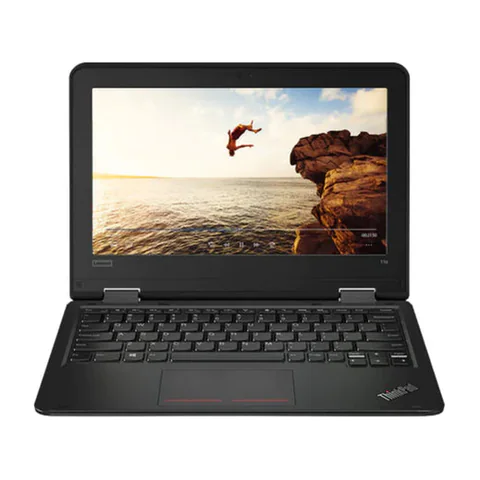
    The Yoga 11e listing sits below KSh 15,000, but its 4GB RAM and 128GB SSD set clear constraints. The CPU is described only as Intel Celeron. That description is insufficient to confirm support for a particular Windows release or school application. Request the complete processor number before deciding.

    Do not interpret inclusion in the price ladder as a general Windows recommendation. A machine can appear cheap while leaving little practical headroom. Ask whether the required browser, documents and meeting app can work together. If the trial fails, moving to another configuration may be better than adding small upgrades to an unsuitable base.

    Under KSh 25,000: compare basic configurations

    The Latitude 5300 and lower-memory T480s examples both list 8GB RAM and a 256GB SSD. They provide a clearer starting point for modest workloads than a 4GB example, but neither is automatically suitable for every user. Screen preference, software compatibility and condition should decide between them.

    If a shop proposes a memory upgrade, ask for the installed configuration and final price in writing. An upgrade promise does not make an 8GB advertised price a valid comparison with a ready 16GB offer.

    Under KSh 30,000–40,000: choose what improves your work

    The listed 16GB/512GB T480s provides more memory and storage below KSh 30,000. The EliteBook 840 G8 example reaches a newer advertised CPU generation below KSh 40,000, with a smaller SSD. These are different advantages, so choose according to the workload rather than a single specification.

    For spreadsheets and browser multitasking, test the busiest normal setup. For a large personal file collection, calculate storage needs first. If both candidates pass the task test, condition and required extras may settle the decision.

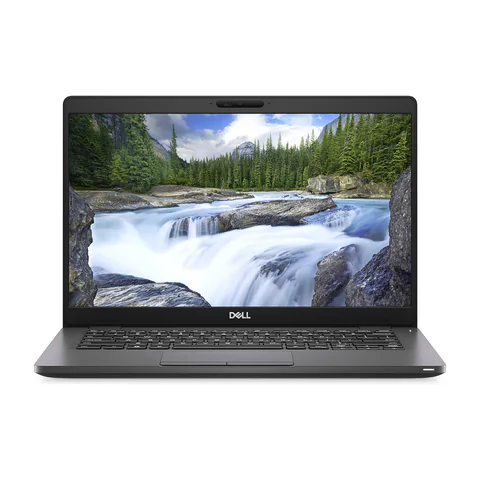
    Dell Latitude 5300 catalog product photograph
    Catalog photograph sourced from LaptopPrices.co.ke. Confirm the actual unit and configuration with the seller.

    Why a larger budget does not prove a specialist fit

    Spending KSh 60,000 or KSh 100,000 does not guarantee gaming or engineering capability. The checked workstation offers leave the exact graphics chip unconfirmed. Do not substitute a large budget or a workstation name for the missing evidence.

    Likewise, no new laptop appeared in the checked 92-offer inventory. For a new laptop below KSh 40,000, use a quotation request and compare the exact response. We cannot name a verified new configuration from this snapshot.

    Calculate the complete purchase cost

    1. Record the exact advertised laptop configuration.
    2. Add required upgrades, a suitable charger, software and delivery.
    3. Request battery evidence and written return/warranty terms.
    4. Compare the total with the actual spending limit.
    5. Keep optional touchscreens, accessories and CPU upgrades behind essential needs.

    Use the used-laptop inspection checklist and Microsoft’s compatibility guidance. A seller’s installed operating system does not independently prove support.

    Common questions

    Which budget band offers the best value?

    The right band depends on your required work and the condition of the actual unit. The table identifies configuration changes, not a universal value winner.

    Can I find a new laptop under KSh 40,000 here?

    The checked offers do not establish one. Ask shops for current new-laptop quotes and verify the exact CPU, memory, storage and written terms.

    Should I spend more for touch?

    Only if touch improves a task you actually perform. Confirm active-pen support separately if handwriting is the reason.

    Find the best budget laptop in Kenya by comparing usable configurations and full costs. Check current catalog offers, or request a quote with your firm spending limit. Use price alerts when timing is flexible.

    Research method and sources

    This AI-assisted guide compares published specifications and advertised marketplace offers checked on 20 November 2026. It is not a hands-on review. Individual battery life, exact CPU part numbers and any omitted graphics details remain unverified. Laptop Prices Kenya helps buyers compare independent shops; the selling shop handles the sale and its own warranty terms.

  • Best Laptop for High School Students in Kenya

    Best Laptop for High School Students in Kenya

    The best laptop for high school students in Kenya should fit the school’s requirements, the learner’s tasks and the family budget. Begin with the actual learning platform, document tools and assessment rules. Then compare screen comfort, keyboard condition, an SSD and enough memory for the normal lesson. A very low price is not useful if essential software will not work or the battery and charger need immediate replacement.

    The Latitude 5300 and ThinkPad T480s examples provide lower-priced configurations to inspect. The EliteBook 840 G8 adds a listed 16GB RAM option. These are refurbished offers, so condition and written seller terms form an important part of the decision.

    Quick comparison: listed configurations and prices

    Model Advertised configuration Listed price Listing shop
    Dell Latitude 5300 Intel Core i5 (8th generation); 8GB RAM; 256GB SSD KSh 19,980 Onit Computers Nairobi
    Lenovo ThinkPad T480s Intel Core i5 (8th generation); 8GB RAM; 256GB SSD KSh 22,140 Onit Computers Nairobi
    HP EliteBook 840 G8 Intel Core i5 (11th generation); 16GB RAM; 256GB SSD KSh 37,800 Onit Computers Nairobi

    Prices checked on Laptop Prices Kenya on 20 November 2026. These are advertised configurations, all listed as Ex-UK refurbished. They are not checkout confirmations or a survey of every Kenyan seller. Confirm the exact unit, current total, battery condition and written terms with the named shop.

    Get the school’s requirements before shopping

    Ask which operating systems and browsers the school supports. Confirm whether lessons use installed software, browser tools, video meetings or a specific assessment application. If the school supplies an account, ask how the parent or learner should set up the device.

    Next, list the work the student will do at home. Reading assignments, typing reports and joining classes differ from specialist design, programming or music work. Buy for the actual subjects rather than an advertisement promising a laptop for every course.

    Study pattern Priority What to try
    Documents and research Readable screen, SSD and usable keyboard Read a PDF beside a writing document
    Online lessons Audio, camera and a stable connection Join a sample lesson with the intended headset
    Shared study at home Separate accounts and a clear storage routine Switch accounts and locate saved work

    Compare the listed choices carefully

    The Latitude 5300 offer lists a 13.3-inch screen, 8GB RAM and a 256GB SSD. It leaves more room for other expenses than the higher-priced example here. However, ask the learner to read and type on that screen. A compact format is only helpful if the working view remains comfortable.

    The lower-priced ThinkPad T480s configuration also lists 8GB RAM and a 256GB SSD, with a 14-inch screen. Its model-family name does not prove the condition of the keyboard, display or battery. Test those parts and confirm the exact CPU number.

    The EliteBook 840 G8 offer advertises an 11th-generation Core i5, 16GB RAM and a 256GB SSD. The extra memory may be useful for several apps at once. However, it is not necessary to spend more simply to collect a larger number on a specification sheet. Compare it with the school’s actual needs and the remaining family budget.

    Lenovo ThinkPad T480s catalog product photograph
    Catalog photograph sourced from LaptopPrices.co.ke. Confirm the actual unit and configuration with the seller.

    Build a lesson test the learner can perform

    1. Open the school’s permitted demonstration platform or a sample lesson.
    2. Read a document at a comfortable text size.
    3. Type a short assignment and save it in a clear folder.
    4. Join a test call, checking both the microphone and sound.
    5. Unplug the charger and observe the battery during normal use.
    6. Check that the learner can find and reopen the saved assignment.

    A student should take part in the test. Parents may notice a low price while the learner notices a keyboard that is hard to use or text that is too small. Neither perspective should replace the other.

    Use the meeting platform’s requirements where relevant, and check Windows compatibility if the school requires that system. An installed copy alone does not prove the hardware meets support requirements.

    Plan shared use and support

    If siblings share the laptop, give each learner a separate account and a clear way to save work. Decide when the device is available for lessons and assignments. A shared machine may need a household schedule as much as additional hardware.

    Ask who will install school software and help when an account or application stops working. Keep recovery information somewhere the parent can manage. Also make a backup of important assignments and test opening a copied file.

    For learners in areas with unreliable internet, ask whether essential materials can be downloaded in advance. Test that they open without a connection. Do not assume a browser bookmark is an offline copy or that buying a newer laptop will improve the internet service.

    Keep the full price within reach

    Add the correct charger, any essential headset, required software and delivery to the written quote. Ask what happens if a fault appears soon after purchase and whether the battery has different terms. Refurbished grades vary, so inspect the actual unit instead of relying on a label.

    The used-laptop checklist covers physical checks. The student hub provides a broader route for college and university requirements, where the course may introduce more demanding software.

    Common questions

    Should I buy the cheapest listed laptop?

    Only after checking compatibility, condition and the complete cost. The lowest sticker price does not establish the lowest usable purchase cost.

    Is 16GB RAM compulsory for schoolwork?

    No universal capacity applies to every school task. Use the required applications and a realistic lesson test to decide.

    Can one laptop serve two learners?

    It may, if their lesson times and software allow shared use. Check scheduling, separate accounts and storage before relying on that arrangement.

    Find the best laptop for high school students in Kenya by combining the school’s written requirements with the learner’s own trial. Request a quote for the complete study setup before making a payment.

    Research method and sources

    This AI-assisted guide compares published specifications and advertised marketplace offers checked on 20 November 2026. It is not a hands-on review. Individual battery life, exact CPU part numbers and any omitted graphics details remain unverified. Laptop Prices Kenya helps buyers compare independent shops; the selling shop handles the sale and its own warranty terms.