Blog

  • Best Laptop for HR Managers in Kenya

    Best Laptop for HR Managers in Kenya

    The best laptop for HR managers in Kenya should run the required office systems and support a sensible way to handle confidential records. Begin with application compatibility, enough memory for daily multitasking and a dependable backup process. Then confirm the organisation’s requirements for accounts, encryption and device management. A fingerprint reader or business-family name does not prove that a laptop meets those requirements.

    The same purchasing approach helps legal offices, clinics and school administration teams. Their applications and peripherals differ, but all need the actual unit checked against a written workflow. The three listed configurations below provide starting points for research, rather than security certifications.

    Quick comparison: listed configurations and prices

    Model Advertised configuration Listed price Listing shop
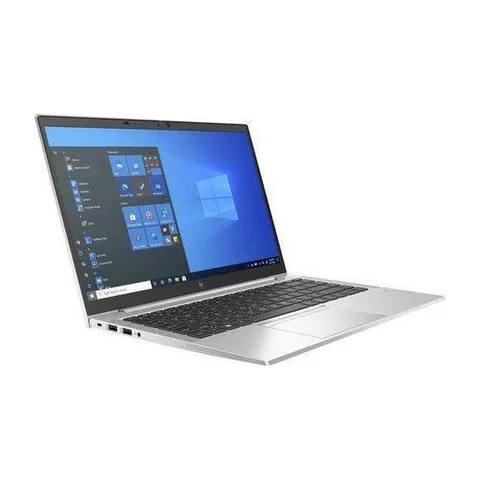
    HP EliteBook 840 G8 Intel Core i5 (11th generation); 16GB RAM; 256GB SSD KSh 37,800 Onit Computers Nairobi
    HP ProBook 640 G8 Intel Core i5 (11th generation); 16GB RAM; 256GB SSD KSh 35,640 Onit Computers Nairobi
    Lenovo ThinkPad T14 Intel Core i7 (10th generation); 16GB RAM; 256GB SSD KSh 36,720 Onit Computers Nairobi

    Prices checked on Laptop Prices Kenya on 20 November 2026. These are advertised configurations, all listed as Ex-UK refurbished. They are not checkout confirmations or a survey of every Kenyan seller. Confirm the exact unit, current total, battery condition and written terms with the named shop.

    Write a role-specific acceptance brief

    For an HR manager, list the payroll or personnel system, spreadsheets, recruitment calls and document tools. Ask whether the employer requires a particular Windows edition or management setup. A privately purchased laptop may need approval before it can access workplace records.

    Legal professionals should confirm document, case-management and client-communication requirements. Doctors, nurses, clinic receptionists and medical students should obtain the exact practice or course software requirements. This is a hardware checklist, not a recommendation for handling clinical decisions or storing records outside an organisation’s rules.

    Office role Compatibility question Useful demonstration
    HR and school administration Payroll, personnel tools and meeting applications Open a permitted sample record and report
    Legal office Document formats, case software and signing tools Use a non-sensitive sample matter
    Clinic or reception desk Practice software and attached equipment Test with the supplier’s demonstration workflow

    Assess the three listed configurations

    The EliteBook 840 G8 listing contains an 11th-generation Core i5, 16GB RAM and a 256GB SSD. It is a useful configuration to compare for an administrator using several office tools. However, the listing does not confirm a fingerprint reader, installed Windows edition or a completed security setup.

    The ProBook 640 G8 offer also lists an 11th-generation Core i5, 16GB RAM and a 256GB SSD. Compare its actual condition, keyboard and ports with the EliteBook rather than ranking by family name. Obtain the full CPU number and a written list of included accessories.

    The ThinkPad T14 offer advertises a 10th-generation Core i7, 16GB RAM and a 256GB SSD. It provides another configuration within the comparison. The Core i7 label does not establish an advantage over the newer-generation Core i5 offers. Test the required applications and inspect the exact unit.
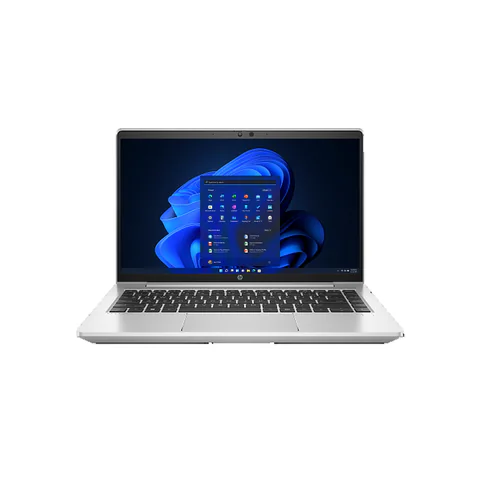
    HP ProBook 640 G8 laptop
    Catalog photograph sourced from LaptopPrices.co.ke. Confirm the actual unit and configuration with the seller.

    Separate device features from the organisation’s setup

    A laptop can contain a useful feature without having it configured for your work. Ask the organisation’s IT contact what must be enabled, who manages recovery information and which user permissions are appropriate. Do not ask a retailer to decide workplace access policy.

    If biometric login is important, confirm that the actual unit contains a working reader and that the required operating system supports it. Request a demonstration. A stock photograph showing a reader does not establish that the offered configuration includes one.

    Also confirm Windows hardware compatibility. Where older Office add-ins matter, check Microsoft’s Office edition guidance with the application supplier before changing a working setup.

    Test peripherals and recovery

    Bring the connection details for essential printers, scanners, card readers or external displays. Ask the equipment supplier about drivers for the planned operating system. Where practical, test the actual workflow rather than only checking that a cable fits.

    Use demonstration files for the shop visit. Avoid signing into live personnel or patient systems on a device that has not been accepted and configured. Record the acceptance result without leaving workplace credentials behind.

    Finally, establish a recovery routine. Keep another copy of essential working documents where the organisation permits and test restoring a sample. A warranty may cover a hardware repair, but it does not automatically restore records or provide a replacement during downtime.

    Purchasing checklist for a professional office

    1. Obtain the required applications, operating system and management rules.
    2. Check CPU, RAM, SSD and required device features on the actual unit.
    3. Test permitted sample work and essential peripherals.
    4. Confirm the supplier, serial number, charger and written terms.
    5. Complete the approved setup before using real confidential records.

    For refurbished hardware, follow the physical inspection checklist. Keep the business’s setup costs beside the device price when comparing offers.

    Common questions

    Does a business laptop guarantee stronger security?

    No product-family label establishes that a particular unit meets your organisation’s requirements. Confirm the features, software and management setup separately.

    Is a fingerprint reader essential?

    That depends on the organisation’s login policy. It should not distract from application compatibility, appropriate accounts and a recovery plan.

    Can a refurbished laptop suit a professional office?

    It can be assessed against the same written brief. Condition, support and the completed setup should decide whether the specific unit is appropriate.

    Choose the best laptop for HR managers in Kenya by making the requirements explicit. Ask shops for a configuration-specific business quote, then have the organisation check the proposed setup. The business hub provides more comparison options.

    Research method and sources

    This AI-assisted guide compares published specifications and advertised marketplace offers checked on 20 November 2026. It is not a hands-on review. Individual battery life, exact CPU part numbers and any omitted graphics details remain unverified. Laptop Prices Kenya helps buyers compare independent shops; the selling shop handles the sale and its own warranty terms.
  • Best Laptop for Customer Service Agents in Kenya

    Best Laptop for Customer Service Agents in Kenya

    The best laptop for customer service agents in Kenya should handle the actual call system, customer dashboard and team tools at the same time. Start with a 16GB RAM configuration and an SSD for a busy browser-based shift, then test the headset and network. A processor badge cannot establish clear audio, reliable screen sharing or compatibility with an employer’s software. For a remote call centre, the acceptance test matters more than a generic “office laptop” description.

    Compare the EliteBook 840 G8 and ThinkPad T480s configurations below as memory-ready research options. The Latitude 5420 listing contains 8GB RAM, so assess the real workload and obtain a written upgrade quote if necessary. None of these records includes a completed call-centre performance test.

    Quick comparison: listed configurations and prices

    Model Advertised configuration Listed price Listing shop
    HP EliteBook 840 G8 Intel Core i5 (11th generation); 16GB RAM; 256GB SSD KSh 37,800 Onit Computers Nairobi
    Lenovo ThinkPad T480s Intel Core i7 (8th generation); 16GB RAM; 512GB SSD KSh 29,700 Onit Computers Nairobi
    Dell Latitude 5420 Intel Core i5 (11th generation); 8GB RAM; 256GB SSD KSh 37,800 Onit Computers Nairobi

    Prices checked on Laptop Prices Kenya on 20 November 2026. These are advertised configurations, all listed as Ex-UK refurbished. They are not checkout confirmations or a survey of every Kenyan seller. Confirm the exact unit, current total, battery condition and written terms with the named shop.

    Match a customer service laptop to the shift

    Ask the employer which softphone, browser, customer-record system and security tools the role requires. A softphone is software used to make calls through a computer. Some teams also require screen recording, a particular headset or a managed operating system. Get that list before choosing a device.

    Next, reproduce the busiest normal period. Open a sample customer dashboard, a knowledge base, messaging and the call application together. Use a demonstration account that contains no customer information. This reveals more about fit than opening a blank browser in the shop.

    Type of support What to prioritise Acceptance test
    Voice calls Compatible headset, stable audio and dependable connection Make a test call through the required platform
    Chat and email support Readable windows and comfortable typing Switch between several sample conversations
    Remote call-centre shifts Concurrent apps, power plan and employer policy Run the normal shift setup together

    Compare the configurations, including missing details

    The EliteBook 840 G8 offer lists an 11th-generation Core i5, 16GB RAM and a 256GB SSD. It provides a practical starting configuration for investigation. However, the listing does not establish microphone quality, network stability or the exact CPU number. Ask for those details and a realistic trial.

    The ThinkPad T480s option provides 16GB RAM and a 512GB SSD at a lower listed price. That can leave more room for an approved headset. Its older CPU generation and refurbished condition remain trade-offs. Check the keyboard and charging system carefully for a job that depends on sustained use.

    The Latitude 5420 option advertises an 11th-generation Core i5 with 8GB RAM. Do not treat its sticker price as equivalent to a 16GB configuration. Confirm whether the actual machine supports the upgrade you need, who will install it and what the final total will be.

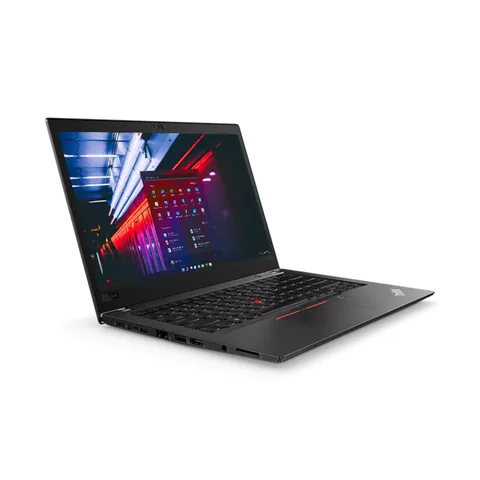
    Lenovo ThinkPad T480s catalog product photograph
    Catalog photograph sourced from LaptopPrices.co.ke. Confirm the actual unit and configuration with the seller.

    Test the headset and network together

    Connect the headset you intend to use, including its receiver or adapter. Make a short call and ask the other participant about clarity, background noise and interruptions. Test mute controls too. A working headphone socket does not prove that every headset feature will work.

    Also check the employer’s connection requirements at your home desk. Ethernet may be useful where available, but verify the laptop’s socket or compatible adapter. A newer Wi-Fi label cannot fix a weak connection or a congested service.

    Zoom’s desktop requirements are relevant where a team uses Zoom for meetings. For the call platform itself, consult its own requirements. Do not assume that passing one meeting application’s minimum specification approves every customer-support tool.

    Plan shift continuity and handover

    Ask what happens when power or connectivity fails. A used battery report offers condition evidence, but it does not prove that a laptop will last a whole shift. Include the router and headset in the continuity plan rather than considering only the laptop.

    For shared equipment, use the employer’s account and handover procedure. Avoid leaving customer sessions open for the next user. Confirm who manages updates, support and recovery before buying a personal device for the role.

    Check Windows compatibility if required. The used-laptop inspection guide covers the physical checks that a software trial will not reveal.

    Questions before you pay

    Will 16GB RAM guarantee smooth calls?

    No. It provides memory headroom for many concurrent workflows, but audio devices, software and connectivity still need testing.

    Should I buy a separate webcam?

    Only if the role requires better video than the actual built-in camera provides. Try a call first and include any necessary accessory in the budget.

    Can a shop approve the laptop for my employer?

    The employer should confirm its requirements. Ask the shop to demonstrate the hardware against that written list rather than relying on a broad assurance.

    Choose the best laptop for customer service agents in Kenya by testing the complete shift setup. Request an itemised quote with the required RAM, headset and connection accessories, or explore the business laptop hub.

    Research method and sources

    This AI-assisted guide compares published specifications and advertised marketplace offers checked on 20 November 2026. It is not a hands-on review. Individual battery life, exact CPU part numbers and any omitted graphics details remain unverified. Laptop Prices Kenya helps buyers compare independent shops; the selling shop handles the sale and its own warranty terms.
  • Best Laptop With 16GB RAM Under KSh 40000

    Best Laptop With 16GB RAM Under KSh 40000

    The best laptop with 16GB RAM under KSh 40000 should meet both parts of the brief: the advertised configuration must contain 16GB, and the complete purchase must fit the budget. Do not use a model family’s lowest price if it belongs to an 8GB version. This shortlist compares four specific refurbished configurations listed below KSh 40,000, with their actual advertised SSD capacities and selling shop.

    The ThinkPad T480s leaves the largest margin in this shortlist and lists a 512GB SSD. The ThinkPad T14 and EliteBook 840 G8 offer different CPU generations with smaller SSDs. The EliteBook 850 G8 adds a larger listed screen. Condition and necessary extras still decide whether any offer fits your final budget.

    Quick comparison: listed configurations and prices

    Model Advertised configuration Listed price Listing shop
    Lenovo ThinkPad T480s Intel Core i7 (8th generation); 16GB RAM; 512GB SSD KSh 29,700 Onit Computers Nairobi
    Lenovo ThinkPad T14 Intel Core i7 (10th generation); 16GB RAM; 256GB SSD KSh 36,720 Onit Computers Nairobi
    HP EliteBook 840 G8 Intel Core i5 (11th generation); 16GB RAM; 256GB SSD KSh 37,800 Onit Computers Nairobi
    HP EliteBook 850 G8 Intel Core i5 (11th generation); 16GB RAM; 256GB SSD KSh 37,800 Onit Computers Nairobi

    Prices checked on Laptop Prices Kenya on 20 November 2026. These are advertised configurations, all listed as Ex-UK refurbished. They are not checkout confirmations or a survey of every Kenyan seller. Confirm the exact unit, current total, battery condition and written terms with the named shop.

    What counts as the best laptop with 16GB RAM under KSh 40000?

    First, confirm installed memory rather than an upgrade promise. If the shop advertises 8GB and offers to add another 8GB, ask for the final written price and confirm the completed configuration before payment. Also check whether any added module changes the warranty terms.

    Second, define whether KSh 40,000 is your laptop-only ceiling or your all-in ceiling. This article treats it as an all-in limit for the buying worksheet. That means required chargers, upgrades and delivery must fit within the remaining allowance. Optional accessories should come afterwards.

    Finally, choose a workload. Enough RAM helps with several applications, but it does not upgrade an old processor, fix a poor screen or establish dedicated graphics support. Your essential software and the actual unit’s condition still matter.

    Compare the four configurations

    The ThinkPad T480s option advertises an 8th-generation Core i7, 16GB RAM and a 512GB SSD at KSh 29,700. Its larger SSD and lower listed price are the clearest advantages here. However, its older CPU generation and refurbished condition require inspection. Check the full processor number, battery evidence and physical wear.

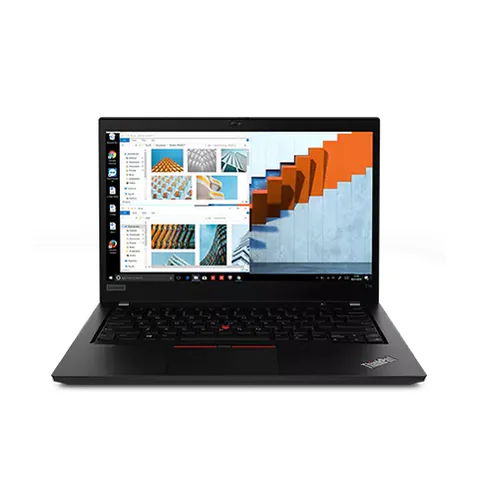
    The ThinkPad T14 listing includes a 10th-generation Core i7, 16GB RAM and a 256GB SSD at KSh 36,720. It may suit a buyer who prefers this particular model and configuration. However, the smaller SSD leaves less room for large local files. The listing does not provide enough information for a precise performance comparison.

    The EliteBook 840 G8 configuration advertises an 11th-generation Core i5, 16GB RAM and a 256GB SSD at KSh 37,800. It offers a newer listed CPU generation in a 14-inch format. Its remaining budget margin is narrow if you need a larger SSD or essential accessories.

    The EliteBook 850 G8 offer also lists an 11th-generation Core i5, 16GB RAM and a 256GB SSD at KSh 37,800, with a listed 15.6-inch screen. Consider it if the larger format suits your desk work. Confirm the panel resolution and keyboard layout before choosing it over the 14-inch option.

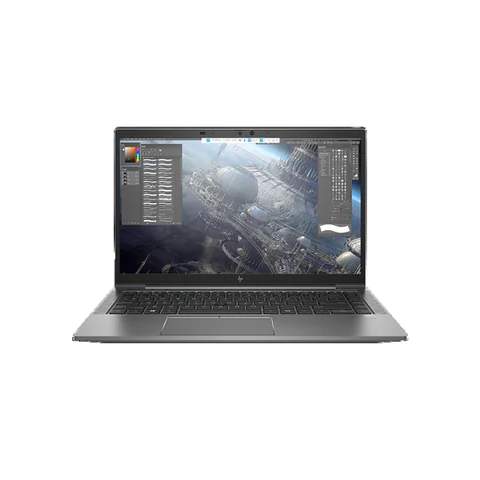
    Lenovo ThinkPad T14 catalog product photograph
    Catalog photograph sourced from LaptopPrices.co.ke. Confirm the actual unit and configuration with the seller.

    Use the remaining-budget calculation

    Subtract the listed laptop price from KSh 40,000. The result is your maximum allowance for every required extra, assuming the seller confirms the same price. It is not a forecast of what those extras will cost.

    Listed configuration Advertised price Remaining from KSh 40,000
    ThinkPad T480s, 16GB/512GB KSh 29,700 KSh 10,300
    ThinkPad T14, 16GB/256GB KSh 36,720 KSh 3,280
    EliteBook 840 G8, 16GB/256GB KSh 37,800 KSh 2,200
    EliteBook 850 G8, 16GB/256GB KSh 37,800 KSh 2,200

    Next, list only the costs you must pay to use the machine. If a compatible charger is missing, include it. If your files cannot fit on the SSD, obtain an upgrade quote. Add delivery if collection is not practical. A unit priced below the ceiling may become unsuitable once those costs are included.

    If the total exceeds KSh 40,000, compare another configuration or delay an optional purchase. Do not quietly ignore a necessary cost to make the offer appear eligible. Equally, do not assume every refurbished unit needs immediate upgrades; inspect it and decide from evidence.

    Why the Core i7 label does not settle the choice

    The listed processors come from different generations, and the records do not supply every full part number. That prevents a reliable ranking from the labels alone. Ask the seller to show the actual CPU details and compare your main task where possible.

    A buyer working mainly in documents may value the lower price and larger SSD. Another buyer may prefer a newer platform for particular software. A third may need the larger screen. Each is a valid reason, provided the exact unit passes inspection and fits the budget.

    Also check Microsoft’s Windows 11 requirements if you plan to use that operating system. Avoid treating an installed copy as proof that every support condition has been met.

    Verify the memory, storage and battery

    1. Open system information and confirm 16GB installed RAM.
    2. Check the SSD’s capacity and available space.
    3. Run your main app with a realistic set of tabs or files.
    4. Request a battery report and try the laptop unplugged.
    5. Test the keyboard, screen, Wi-Fi, camera and essential ports.
    6. Obtain the complete price and written return/warranty terms.

    Microsoft documents how to create a battery report. It can provide useful capacity information, but it does not prove a fixed runtime. Use the full used-laptop checklist for a broader inspection.

    The RAM and storage guide explains why a larger SSD and more RAM solve different problems. Both matter, but neither should distract you from the condition of the unit you are buying.

    Common questions

    Are these new laptops?

    No. The cited configurations are listed as Ex-UK refurbished. Confirm the individual unit’s condition and the seller’s terms before paying.

    Does 16GB RAM mean a laptop is suitable for gaming or AI?

    No. Those workloads may depend on a particular GPU and other specifications. None of these listings alone establishes suitability for every game or local AI model.

    Which offer gives the most room for extras?

    At the checked listed prices, the T480s leaves KSh 10,300 from the ceiling. That calculation does not establish its overall quality or guarantee the seller’s current final price.

    Choose the best laptop with 16GB RAM under KSh 40000

    Compare exact configurations, add required costs and inspect the actual machine. Compare these laptop options or request an all-in quote capped at KSh 40,000. Check the live catalog again before making a payment.

    Research method and sources

    This AI-assisted guide compares published specifications and advertised marketplace offers checked on 20 November 2026. It is not a hands-on review. Individual battery life, exact CPU part numbers and any omitted graphics details remain unverified. Laptop Prices Kenya helps buyers compare independent shops; the selling shop handles the sale and its own warranty terms.
  • Best Laptop for Architecture Students in Kenya

    Best Laptop for Architecture Students in Kenya

    The best laptop for architecture students in Kenya depends on the stage of the course and the software you must run. A machine for early drawings and presentations is a different purchase from one intended for complex building models or rendering. Start with your department’s software list, exact versions and representative projects. Then check RAM, the full CPU model and the exact graphics chip. A workstation name or an advertisement saying “4GB graphics” does not establish suitability.

    The catalog offers a ZBook Firefly configuration without a specified dedicated GPU, plus two workstation listings that mention 4GB graphics without identifying the chip. They are candidates to investigate, not verified rendering recommendations. The missing GPU details must be resolved before a software-specific purchase.

    Quick comparison: listed configurations and prices

    Model Advertised configuration Listed price Listing shop
    HP ZBook Firefly 14 G8 Intel Core i5 (11th generation); 16GB RAM; 256GB SSD KSh 35,640 Onit Computers Nairobi
    Dell Precision 5550 Intel Core i7 (10th generation); 16GB RAM; 256GB SSD; 4GB graphics configuration; GPU model to confirm KSh 59,400 Onit Computers Nairobi
    HP ZBook Firefly 14 G8 Intel Core i7 (11th generation); 16GB RAM; 256GB SSD; 4GB graphics configuration; GPU model to confirm KSh 59,400 Onit Computers Nairobi

    Prices checked on Laptop Prices Kenya on 20 November 2026. These are advertised configurations, all listed as Ex-UK refurbished. They are not checkout confirmations or a survey of every Kenyan seller. Confirm the exact unit, current total, battery condition and written terms with the named shop.

    Choose by course stage and software version

    Ask your department what you will use during the next academic year. Separate 2D drafting, building information modelling, image work and rendering. BIM means building information modelling: software uses a structured building model rather than only separate drawings. Each workflow can change which hardware matters most.

    Next, ask whether heavier assignments use campus workstations. A personal laptop can support preparation and lighter work while another machine handles demanding tasks, if the course allows that arrangement. Do not assume lab access exists or will be available near deadlines; confirm it first.

    Course workload Decision to resolve Evidence needed
    Early drafting and presentations Can the required apps and sample files run comfortably? Exact application requirements and a project test
    BIM coursework Does the configuration meet the chosen version’s requirements? CPU, RAM, OS, graphics and adequate free storage
    Rendering and visualisation Will the chosen engine use this GPU effectively? Exact GPU, VRAM, driver support and representative scene test

    Use current Revit requirements carefully

    Autodesk’s Revit 2027 requirements list 16GB RAM for an entry-level configuration and recommend 4GB video memory. Those figures are not a promise that every student project will run comfortably. Check the requirements for the exact version used by your department, including the operating system and free storage.

    Keep installation space separate from working space. Project files, linked models, temporary files and other applications need room beyond the installation itself. A 256GB SSD can become restrictive depending on what you store. Obtain a suitable upgrade quote before deciding that the advertised laptop price covers the whole setup.

    Presentation and image-editing work also needs its own checks. Adobe publishes Photoshop’s desktop technical requirements. Confirm the relevant version and graphics support rather than assuming that a machine suitable for one application is automatically suitable for all of them.

    What the catalog does and does not establish

    The lower-priced ZBook Firefly 14 G8 listing advertises an 11th-generation Core i5, 16GB RAM and a 256GB SSD. It does not specify a dedicated GPU in the configuration record. Therefore, the ZBook family name is not evidence that this particular offer includes the graphics hardware your application needs.

    The Dell Precision 5550 offer lists a 10th-generation Core i7, 16GB RAM, a 256GB SSD and 4GB graphics. However, the graphics field explicitly says the GPU model needs confirmation. Ask for the complete chip name and a screenshot from the actual unit. Do not infer a particular NVIDIA GPU from the chassis name.

    The second ZBook Firefly 14 G8 configuration advertises an 11th-generation Core i7, 16GB RAM, a 256GB SSD and 4GB graphics. Again, the chip itself remains unspecified. Compare it with the Precision only after the seller supplies matching information. There is no evidence here to rank their rendering speed.

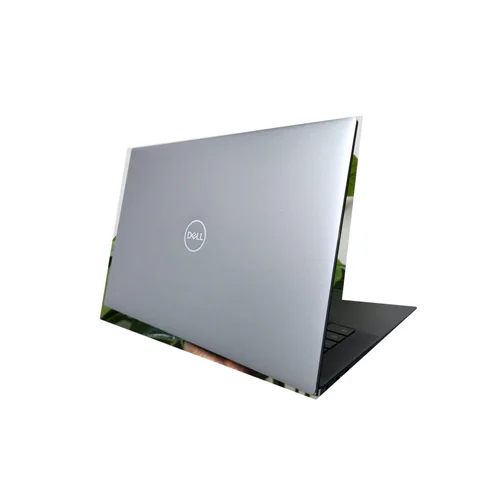
    Dell Precision 5550 catalog product photograph
    Catalog photograph sourced from LaptopPrices.co.ke. Confirm the actual unit and configuration with the seller.

    Send a precise GPU information request

    Ask the seller to provide the full laptop configuration, full CPU number, exact GPU name and dedicated video memory. Request evidence from the actual unit rather than a general model brochure. VRAM is memory used by the graphics processor; it is distinct from the laptop’s main RAM.

    Then compare that hardware with the renderer or visualisation tool you will use. Some workflows depend on particular graphics technologies and driver support. A memory figure alone cannot confirm compatibility. If the shop cannot identify the GPU, keep that offer outside a confirmed software shortlist.

    You can use the quotation request to state an exact requirement. Include the application version and any department-recommended configuration. This produces a more useful response than asking only for an “architecture laptop”.

    Test a project, not a blank application window

    1. Prepare a permitted, non-sensitive course sample with the necessary linked files.
    2. Confirm the application version and the laptop’s power settings.
    3. Open the sample and perform the tasks you expect to use.
    4. Check navigation, view changes, saving and any required export.
    5. For rendering, test the actual engine and chosen device where practical.
    6. Observe cooling behaviour, stability and usable free storage.

    Record the conditions so another candidate receives a comparable test. Simply opening the program demonstrates much less than using a representative project. We have not performed these tests on the shortlisted units, so their inclusion should not be read as a performance certification.

    Balance studio work and carrying the laptop

    A more powerful setup may also change charger size, noise and carrying weight. Ask for actual measurements rather than assuming every mobile workstation feels the same. If you work mainly in a studio, an external screen may help, but confirm the required display connection.

    For refurbished machines, inspect the screen, keyboard, hinges and battery. Ask whether the charger matches the unit’s required power. Keep the warranty scope and any upgrade arrangements in writing. The used-laptop checklist provides a starting inspection routine.

    Common questions

    Is 16GB RAM enough for architecture?

    It appears in some entry-level application requirements, but your project and software version can need more. Follow the course specification and test a representative model.

    Does “4GB graphics” prove that a laptop is suitable for rendering?

    No. You still need the chip name, compatibility details and evidence for the intended workload. The two listings here leave that crucial question open.

    Should I buy one of these workstation listings immediately?

    Resolve the missing details first. A conditional candidate is useful for research, but it is not a verified recommendation for your software.

    Choose the best laptop for architecture students in Kenya

    Start with the course, verify the exact hardware and test a project before committing. Explore the engineering laptop hub, then request a configuration-specific quote for the requirements your department confirms.

    Research method and sources

    This AI-assisted guide compares published specifications and advertised marketplace offers checked on 20 November 2026. It is not a hands-on review. Individual battery life, exact CPU part numbers and any omitted graphics details remain unverified. Laptop Prices Kenya helps buyers compare independent shops; the selling shop handles the sale and its own warranty terms.
  • Best Laptop for Law Students in Kenya

    Best Laptop for Law Students in Kenya

    The best laptop for law students in Kenya should make long reading sessions, research and writing easier. Prioritise a readable screen, a comfortable keyboard, an SSD and enough memory for your normal research tabs. You usually gain more from those basics than from a vague graphics upgrade. Before buying, also check your university’s assessment software and any required operating system. A low purchase price is not useful if the laptop cannot run an essential exam tool.

    The Dell Latitude 5300 is the lower-priced, smaller-screen option in this comparison. The ThinkPad T480s offers more advertised RAM and SSD space. The EliteBook 840 G8 provides a newer listed CPU generation with 16GB RAM, although its SSD is smaller than the ThinkPad option.

    Quick comparison: listed configurations and prices

    Model Advertised configuration Listed price Listing shop
    Dell Latitude 5300 Intel Core i5 (8th generation); 8GB RAM; 256GB SSD KSh 19,980 Onit Computers Nairobi
    Lenovo ThinkPad T480s Intel Core i7 (8th generation); 16GB RAM; 512GB SSD KSh 29,700 Onit Computers Nairobi
    HP EliteBook 840 G8 Intel Core i5 (11th generation); 16GB RAM; 256GB SSD KSh 37,800 Onit Computers Nairobi

    Prices checked on Laptop Prices Kenya on 20 November 2026. These are advertised configurations, all listed as Ex-UK refurbished. They are not checkout confirmations or a survey of every Kenyan seller. Confirm the exact unit, current total, battery condition and written terms with the named shop.

    Choose for reading and writing, not just the specification sheet

    Law coursework can involve long judgments, scanned readings, lecture notes and several sources open at once. The most useful laptop is one that lets you move between those materials comfortably. Try your real reading and writing arrangement before deciding that one screen size is enough.

    Open a sample PDF beside a document. Increase the text to the size you normally read and check how often you need to scroll or switch windows. A screen’s diagonal measurement does not establish its resolution, brightness or viewing quality. Ask for those details and inspect the actual panel.

    Study task Practical priority Shop test
    Reading cases and lecture notes Readable panel and comfortable scaling Read a long sample PDF in your usual view
    Writing essays with several sources Keyboard comfort and enough memory Type while switching among documents and tabs
    Online classes and assessments Platform compatibility, camera and audio Check the university’s actual requirements

    Three listed options and the trade-offs

    The Latitude 5300 offer advertises an 8th-generation Core i5, 8GB RAM, a 256GB SSD and a 13.3-inch screen. It may suit a buyer who wants a lower device budget and a smaller format. However, confirm that the screen remains comfortable for your reading. Its memory and storage capacity also leave less headroom than the larger configurations here.

    The ThinkPad T480s option lists 16GB RAM and a 512GB SSD, with an 8th-generation Core i7. It is worth investigating for students who keep many materials and apps open. The storage advantage is clear on the listing, but we have not tested the keyboard or battery on the actual unit. Inspect both before treating it as the better study machine.

    The EliteBook 840 G8 listing combines an 11th-generation Core i5, 16GB RAM and a 256GB SSD. It gives you another 14-inch option with a newer advertised CPU generation. Its smaller SSD is the main configuration compromise against the ThinkPad. Obtain an upgrade quote if your local reading library needs more space.

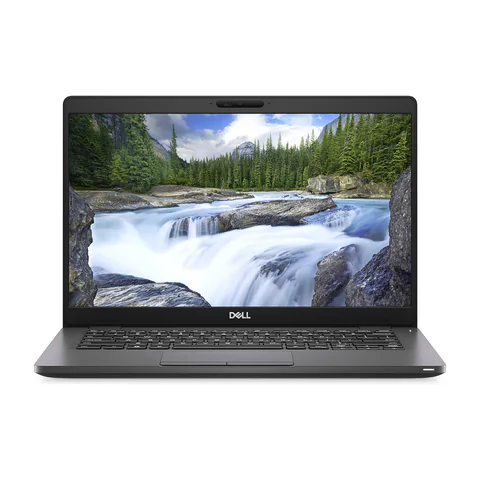
    Lenovo ThinkPad T480s catalog product photograph
    Catalog photograph sourced from LaptopPrices.co.ke. Confirm the actual unit and configuration with the seller.

    Test document handling with realistic materials

    Prepare a small sample folder before visiting a shop. Include a text-based PDF, a scanned reading, a document and a presentation. Use public or non-sensitive material. Open the files in the applications you expect to use and try searching, annotating and switching between them.

    A scanned document may need optical character recognition before its text becomes searchable. That is a software and document-preparation question as well as a hardware question. Do not assume that buying a higher-tier CPU will make every downloaded PDF searchable.

    Next, type for several minutes. Test punctuation, modifier keys, the trackpad and keyboard shortcuts. A working keyboard is not automatically a comfortable keyboard for long writing sessions. If you intend to use an external screen at home, confirm the connection and add the cable or adapter to your budget.

    Check assessment compatibility before payment

    Ask your department or examination office for its current device requirements. Confirm the operating system, browser and any assessment application. Requirements can vary between courses and institutions, so a seller’s general assurance is not enough.

    If Windows 11 is required, check Microsoft’s compatibility guidance for the actual hardware. An installed operating system does not by itself establish support. Ask the shop to demonstrate the configuration and record the full processor number.

    For online teaching or interviews, test the camera, microphone and headset. A successful login is only the beginning; make a short call and check that the other person can hear you clearly.

    Build an offline and backup routine

    Download essential readings before leaving a dependable connection. Open them once to confirm they are available locally. Keep folder names consistent so you can find materials by course and topic without relying on a long list of browser tabs.

    Save another copy of important notes and drafts in a separate location. Try restoring a sample document before you need to recover a real assignment. If you work with placement or clinic records, follow the institution’s rules for handling those files.

    For mobility, request battery evidence. Microsoft documents the Windows battery-report command, which can help reveal current capacity. However, capacity does not prove a full day of lectures. Test realistic use and ask what the seller covers if a battery problem appears.

    A student spending order

    1. Confirm essential assessment and course compatibility.
    2. Choose a screen and keyboard that suit prolonged study.
    3. Check sufficient RAM and SSD space for the actual workflow.
    4. Inspect battery condition, charger and physical wear.
    5. Add backup storage or essential accessories before optional features.

    The used-laptop checklist covers the physical inspection. Use the student laptop hub to compare other configurations if these examples do not fit your budget.

    Common questions

    Does a law student need a dedicated graphics card?

    Do not pay for one without an application that requires it. Put the normal reading, writing and assessment workflow first.

    Is a 13.3-inch screen too small?

    That depends on your eyesight, preferred scaling and working arrangement. Test a PDF beside your writing document rather than deciding from screen size alone.

    Should I choose 8GB or 16GB RAM?

    8GB can suit a modest setup. Consider 16GB if you keep many sources, documents and other apps open together. Compare the complete price and condition, too.

    Choose the best laptop for law students in Kenya

    Let the reading test and university requirements narrow your shortlist. Compare the actual configurations, then confirm the exact unit, included charger and written terms with the selling shop.

    Research method and sources

    This AI-assisted guide compares published specifications and advertised marketplace offers checked on 20 November 2026. It is not a hands-on review. Individual battery life, exact CPU part numbers and any omitted graphics details remain unverified. Laptop Prices Kenya helps buyers compare independent shops; the selling shop handles the sale and its own warranty terms.
  • Best Laptop for Data Science Students in Kenya

    Best Laptop for Data Science Students in Kenya

    The best laptop for data science students in Kenya depends on whether your course focuses on spreadsheets, Python notebooks and tabular data, or expects demanding local GPU work. For many introductory workflows, compare 16GB RAM and an SSD before paying for a dedicated graphics card. Use your course requirements to decide when more memory or local acceleration becomes necessary. A laptop for cloud notebooks is a different purchase from a machine intended to train large models locally.

    The ThinkPad T480s and EliteBook 840 G8 offer two listed 16GB configurations to investigate. A 32GB EliteBook x360 1030 G8 provides a higher-memory comparison, although its convertible design may add features you do not need. None of these offers establishes a verified local GPU-training configuration.

    Quick comparison: listed configurations and prices

    Model Advertised configuration Listed price Listing shop
    Lenovo ThinkPad T480s Intel Core i7 (8th generation); 16GB RAM; 512GB SSD KSh 29,700 Onit Computers Nairobi
    HP EliteBook 840 G8 Intel Core i5 (11th generation); 16GB RAM; 256GB SSD KSh 37,800 Onit Computers Nairobi
    HP EliteBook x360 1030 G8 Intel Core i7 (11th generation); 32GB RAM; 512GB SSD KSh 61,560 Onit Computers Nairobi

    Prices checked on Laptop Prices Kenya on 20 November 2026. These are advertised configurations, all listed as Ex-UK refurbished. They are not checkout confirmations or a survey of every Kenyan seller. Confirm the exact unit, current total, battery condition and written terms with the named shop.

    Define the data science work before buying

    Ask your department which tools and assignments appear in the first year. Python, R, spreadsheets, databases and statistics notebooks do not all place the same demands on a laptop. Also ask whether the course provides lab machines or cloud resources for heavier work.

    Separate three activities: editing code, processing data and training models. A responsive coding environment does not prove that a laptop can process every dataset. Equally, learning about machine learning does not automatically mean your first laptop needs an expensive dedicated GPU.

    Study activity Primary hardware question Buying action
    Small notebooks, SQL and coursework Can the normal toolset run together comfortably? Compare 16GB/SSD configurations and test a sample project
    Larger local datasets How much memory does the working process consume? Measure the sample; assess 32GB or an alternative workflow
    Local GPU training or inference Does the exact GPU and software stack support the workload? Obtain GPU, VRAM and compatibility evidence before buying

    Why a dataset can need more memory than its file size

    A saved file and its working representation are different things. Loading data, creating intermediate results and keeping several notebooks open can require more memory than the original download suggests. Therefore, do not select RAM solely by the size of a CSV file.

    Run a representative notebook on an available computer and observe memory use. Include the browser and other tools you normally keep open. Use the result as a practical guide, while allowing for larger assignments later. These shortlist recommendations are buying starting points rather than universal requirements.

    If you need more capacity, compare both the purchase price and confirmed upgrade options. Some thin laptops have memory that cannot be expanded. Ask the seller for the exact configuration and consult the manufacturer’s documentation before counting on a future upgrade.

    Compare the listed study configurations

    The ThinkPad T480s offer includes 16GB RAM and a 512GB SSD at a lower advertised price. That gives it useful storage headroom for local environments and coursework. Its older CPU generation is the main specification compromise. We have not timed notebooks or measured battery life on the actual unit.

    The EliteBook 840 G8 listing offers an 11th-generation Core i5, 16GB RAM and a 256GB SSD. It is worth investigating if you prefer that newer listed CPU generation. However, account for the space occupied by development tools, datasets and updates. Ask for a storage upgrade quote if your course materials will not fit comfortably.

    The 32GB EliteBook x360 1030 G8 is relevant when measured workloads justify more memory. It also lists a 512GB SSD and an 11th-generation Core i7. Its higher price and convertible format need a clear reason. Extra RAM does not establish dedicated graphics support or guarantee that a particular model-training task will run.

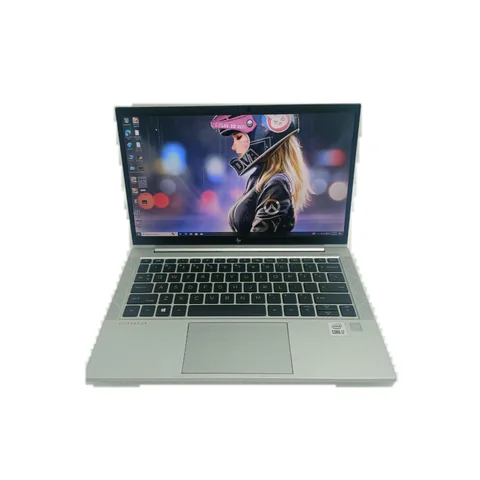
    HP EliteBook 840 G8 catalog product photograph
    Catalog photograph sourced from LaptopPrices.co.ke. Confirm the actual unit and configuration with the seller.

    Local CPU work, cloud notebooks and GPU work

    PyTorch’s installation guidance offers different compute-platform choices, including CPU configurations. CUDA support depends on compatible NVIDIA hardware and software. Confirm the course’s intended environment before buying a laptop around one framework.

    For cloud notebooks, your laptop mainly provides the interface and local supporting tools. However, you still need a dependable connection and a way to work when the service is unavailable. Google’s Colab FAQ explains that resources and usage limits can vary. Do not build an essential deadline around guaranteed access to a free GPU.

    If your assignments require local GPU work, obtain the exact graphics chip and dedicated video memory. VRAM is the memory available to the GPU; it is separate from system RAM. A vague advertisement saying only “4GB graphics” cannot establish framework compatibility or suitability for a particular model.

    A student budget should include the working environment

    Compare the laptop price with the cost of required upgrades, backup storage and any paid course tools. If you expect to use cloud compute, include a realistic allowance for it and connectivity. Keep these as separate budget lines rather than assuming they will always be free.

    For example, a lower-priced laptop with enough RAM may make sense if your department supplies heavier compute. A more expensive GPU machine may be justified if the course explicitly requires offline local work. The right answer comes from the curriculum and evidence, not from the broad label “data science”.

    Browse the AI laptop finder for the wider local-versus-cloud distinction. The memory and storage guide explains the basic hardware terms.

    What to test before paying

    1. Confirm the full CPU name, installed memory and SSD capacity.
    2. Check support for the course’s operating system and required software.
    3. Run a non-sensitive sample notebook and observe memory use.
    4. Test the keyboard, screen, Wi-Fi and battery away from the charger.
    5. Obtain written details for any claimed GPU or planned upgrade.

    Common questions

    Do I need 32GB RAM from the first semester?

    Only the course and a representative workload can establish that need. Compare 32GB when measured memory use or known assignments justify it, rather than treating it as mandatory for every student.

    Can I learn machine learning without a dedicated GPU?

    Some introductory work can use a CPU or cloud environment. Confirm what your assignments require and check the framework’s current installation options.

    Is a workstation label enough for local AI?

    No. Check the exact GPU, its memory, software support and the intended model workload. A product-family label cannot replace those details.

    Choose the best laptop for data science students in Kenya

    Match the configuration to the course, test a sample and reserve GPU spending for a verified need. Ask shops for a configuration-specific quote, stating the RAM, storage and any exact GPU requirement. Use the comparison tool once you have suitable options.

    If the course uses Jupyter Notebook, Kaggle or Google Colab, specify where the code must run and test the required workflow. Keep any cloud-access assumptions separate from the laptop hardware brief, and confirm the permitted data and offline arrangements.

    Research method and sources

    This AI-assisted guide compares published specifications and advertised marketplace offers checked on 20 November 2026. It is not a hands-on review. Individual battery life, exact CPU part numbers and any omitted graphics details remain unverified. Laptop Prices Kenya helps buyers compare independent shops; the selling shop handles the sale and its own warranty terms.
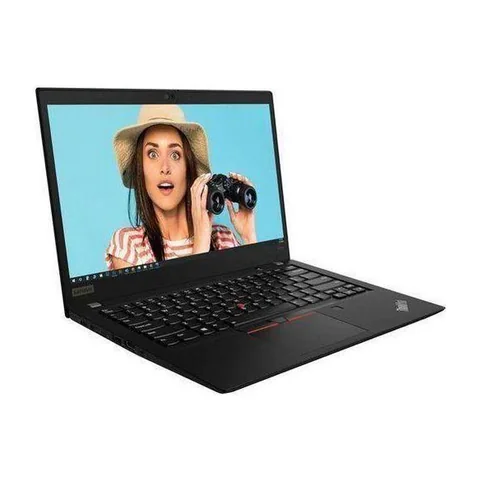
  • Best Laptop for Teachers Working From Home in Kenya

    Best Laptop for Teachers Working From Home in Kenya

    The best laptop for teachers working from home in Kenya should support the whole lesson: preparation, screen sharing, marking and follow-up. For teaching with several apps open, compare 16GB RAM configurations with an SSD. Next, test your actual teaching platform, microphone and presentation method. A touchscreen can help some teachers, but only when it supports a task they use. Do not pay a premium for a feature that will stay idle.

    The ThinkPad T480s offers a lower listed price with 16GB RAM and a 512GB SSD. The EliteBook 840 G8 adds a newer advertised CPU generation. The EliteBook x360 1030 G8 is a convertible option to investigate if handwriting or tablet-style use is central to your lessons.

    Quick comparison: listed configurations and prices

    Model Advertised configuration Listed price Listing shop
    Lenovo ThinkPad T480s Intel Core i7 (8th generation); 16GB RAM; 512GB SSD KSh 29,700 Onit Computers Nairobi
    HP EliteBook 840 G8 Intel Core i5 (11th generation); 16GB RAM; 256GB SSD KSh 37,800 Onit Computers Nairobi
    HP EliteBook x360 1030 G8 Intel Core i7 (11th generation); 16GB RAM; 512GB SSD KSh 59,400 Onit Computers Nairobi

    Prices checked on Laptop Prices Kenya on 20 November 2026. These are advertised configurations, all listed as Ex-UK refurbished. They are not checkout confirmations or a survey of every Kenyan seller. Confirm the exact unit, current total, battery condition and written terms with the named shop.

    Choose around the lesson you actually teach

    A discussion-based language lesson needs different equipment from a mathematics lesson built around handwritten workings. A teacher recording demonstrations may also need more storage than someone who shares short slides. Before shopping, write down how learners will see, hear and receive each part of the lesson.

    Use a sample lesson as your buying brief. List the meeting app, slide software, browser tabs, documents and any recording tool. Then identify the input method: keyboard, mouse, pen tablet or active stylus. This makes it easier to decide whether a convertible is worth its additional cost.

    Teaching style Prioritise Test
    Slides and discussion Clear audio, screen sharing and enough memory Present a lesson while taking questions
    Handwritten explanations Confirmed pen support or a suitable external input device Write equations and annotate a document
    Recorded demonstrations Storage headroom and stable recording workflow Make and play a sample recording

    What each shortlisted configuration offers

    The ThinkPad T480s listing includes an 8th-generation Core i7, 16GB RAM and a 512GB SSD. That combination gives a teacher more listed storage for lesson material within a lower device budget. However, the CPU generation and refurbished condition require inspection. Test screen sharing with the actual unit rather than relying on the processor badge.

    The EliteBook 840 G8 offer pairs an 11th-generation Core i5 with 16GB RAM and a 256GB SSD. It is a candidate for teachers who want a conventional 14-inch format. The smaller SSD is a trade-off if you save recordings locally. Ask for the cost of a suitable upgrade before comparing the complete price.

    The EliteBook x360 1030 G8 option lists an 11th-generation Core i7, 16GB RAM and a 512GB SSD. Its convertible format makes it relevant to handwritten teaching, but the listing does not prove that a compatible active pen is included. Confirm pen support, the exact pen model and its price. Touch input by itself is not enough.

    HP EliteBook 840 G8 catalog product photograph
    Catalog photograph sourced from LaptopPrices.co.ke. Confirm the actual unit and configuration with the seller.

    Test sound and screen sharing as one workflow

    Open your teaching platform, share a slide and speak through the microphone you intend to use. Ask another person to join from a second device. They should check that your voice is clear and the shared material is readable. Make the test with the laptop connected to the same kind of headset or input device you will use at home.

    Zoom’s desktop requirements recommend a more capable setup than its minimum access specification. For other platforms, check their own current requirements. A successful call in a shop also does not prove that your home connection will support a full class.

    Keep the learner’s view in mind. Very small text or a full desktop with many windows can make a lesson difficult to follow. Test the specific presentation arrangement before buying a more expensive laptop to solve what may be a layout problem.

    Decide whether a pen is worth paying for

    If handwriting is central to your teaching, compare two complete setups. One is a compatible pen and convertible laptop. The other is a conventional laptop with an external writing device. Include every required accessory in the price and test the writing experience before choosing.

    Try the kinds of marks you actually make: fractions, diagrams, annotations or language symbols. Check palm handling and whether the software saves your notes in a useful format. A general product photograph cannot establish that these features work on a particular used unit.

    For teachers who mostly type and discuss, a good microphone or a more comfortable desk may deserve the budget first. Choose the feature that improves the lesson, not simply the model with the longest specification list.

    Plan storage and pupil-data handling

    Recordings, slide decks and downloaded resources can gradually fill an SSD. Keep only the material you need locally and maintain another copy of important work. If you use a school account, confirm the school’s rules for storing pupil information and sharing recordings.

    Create a separate account for other family members who use the laptop. Check that class documents and saved sessions are not accessible from that account. Avoid placing learner details in a shop demonstration; use sample material instead.

    Also confirm the required operating system and Windows 11 compatibility where relevant. If a school requires assessment or monitoring software, ask about the exact supported version before purchasing.

    A teacher’s pre-purchase lesson test

    1. Open your normal lesson apps and resources.
    2. Share a slide and a document, then switch between them.
    3. Test the microphone, headset and any writing device.
    4. Make a short sample recording if recording is part of your work.
    5. Check available storage, the battery and the included charger.
    6. Request written terms for the laptop and any bundled accessories.

    The RAM and storage guide can help with configuration questions. Use the used-device checklist for the physical inspection.

    Common questions

    Do all touchscreen laptops support a teaching pen?

    No. Confirm active-pen support for the exact model and check the pen itself. A touch display may only provide finger input.

    Do teachers need a dedicated graphics card?

    Base that decision on the actual teaching software. Ordinary lesson preparation and specialist creative or technical instruction can have very different requirements.

    Is a 256GB SSD too small?

    It depends on your saved material and software. Add up your current files and expected recordings, then leave room for updates and future resources.

    Choose the best laptop for teachers working from home in Kenya

    Use one representative lesson to compare the whole setup. Request quotes with your teaching requirements, including any pen or writing device. The education laptop hub offers additional configurations to explore.

    Research method and sources

    This AI-assisted guide compares published specifications and advertised marketplace offers checked on 20 November 2026. It is not a hands-on review. Individual battery life, exact CPU part numbers and any omitted graphics details remain unverified. Laptop Prices Kenya helps buyers compare independent shops; the selling shop handles the sale and its own warranty terms.

  • Best Laptop for Travel and Work in Kenya

    Best Laptop for Travel and Work in Kenya

    The best laptop for travel and work in Kenya should fit the journey as well as the job. Compare the weight of the full kit, the condition of the battery and the connections you need at your destination. A slim laptop loses some of its appeal if you must carry a heavy charger and several adapters. For refurbished devices, ask for unit-specific evidence instead of relying on the battery life quoted for a new machine.

    The HP EliteBook 830 G7 is worth investigating if you want a smaller listed screen and a modest configuration. The ThinkPad T490s option adds 16GB RAM and a 512GB SSD. The X1 Carbon listing offers an 11th-generation CPU configuration, but its exact chassis generation still needs confirmation.

    Quick comparison: listed configurations and prices

    Model Advertised configuration Listed price Listing shop
    HP EliteBook 830 G7 Intel Core i5 (10th generation); 8GB RAM; 256GB SSD KSh 32,400 Onit Computers Nairobi
    Lenovo ThinkPad T490s Intel Core i7 (8th generation); 16GB RAM; 512GB SSD KSh 31,320 Onit Computers Nairobi
    Lenovo ThinkPad X1 Carbon (11th-gen CPU listing) Intel Core i7 (11th generation); 16GB RAM; 256GB SSD KSh 51,840 Onit Computers Nairobi

    Prices checked on Laptop Prices Kenya on 20 November 2026. These are advertised configurations, all listed as Ex-UK refurbished. They are not checkout confirmations or a survey of every Kenyan seller. Confirm the exact unit, current total, battery condition and written terms with the named shop.

    Choosing the best laptop for travel and work in Kenya

    Start with your usual journey. A laptop carried between meetings needs different checks from one used mainly at a second desk. Write down how long you expect to work away from power, whether you present to clients and what kind of bag you use.

    Next, list the equipment that must travel with it. Include the charger, mouse, headset, presentation adapter and any separate internet device. Ask the shop for the actual laptop weight and weigh the complete kit if possible. We do not have verified weight measurements for the specific units in this shortlist.

    Journey Priority Evidence to request
    Daily commuting between desks Comfortable full-kit weight and dependable charging Actual unit and charger weights
    Client visits and presentations Working display output and essential adapters Demonstration with the intended screen connection
    Long stretches away from sockets Battery condition and a realistic runtime test Battery report plus an unplugged workload trial

    Three portable configurations to investigate

    The EliteBook 830 G7 listing describes a 13.3-inch screen, a 10th-generation Core i5, 8GB RAM and a 256GB SSD. It is the smaller-screen option here. That may suit a compact bag, although screen size does not establish the complete weight. Check whether its memory capacity handles your busiest travel workload before deciding.

    The ThinkPad T490s configuration lists a 14-inch screen, 16GB RAM and a 512GB SSD. The additional memory and storage can be useful when you carry working files and use several apps together. Its older CPU generation and unknown battery wear are the main questions. Confirm touch support and screen condition on the specific unit.

    The X1 Carbon offer includes a listed 11th-generation Core i7, 16GB RAM and a 256GB SSD. The catalog explicitly distinguishes CPU generation from chassis generation. Therefore, do not describe this as an X1 Carbon Gen 11. Obtain the machine type or serial details before checking its manufacturer’s specifications.

    Lenovo ThinkPad T490s catalog product photograph
    Catalog photograph sourced from LaptopPrices.co.ke. Confirm the actual unit and configuration with the seller.

    Read battery evidence without inventing runtime

    On Windows, the seller can generate a report using powercfg /batteryreport. Microsoft’s powercfg documentation explains the command. Compare design capacity with full-charge capacity, then ask about any battery warnings or recent replacements.

    The capacity ratio is a useful condition clue. For example, 32 watt-hours of full-charge capacity against a 40 watt-hour design capacity equals 80%. It does not mean the laptop will run for 80% of a particular advertised number of hours. Your workload, screen brightness and power settings still affect runtime.

    Ask to unplug the machine and perform a realistic task. Use comparable settings when inspecting more than one laptop. A brief test may reveal sudden drops or charging problems, but it cannot prove all-day endurance. The listings do not provide enough evidence to name a battery-life winner.

    Check the charger before buying extra travel power

    Read the required power specification and inspect the included charger. If you want USB-C charging, confirm the exact laptop supports it and that the charger meets the required power profile. A matching connector alone does not establish compatibility.

    The same caution applies to power banks. Do not assume a phone power bank can power a laptop. Get model-specific compatibility information and test the intended combination. If you fly, check your airline’s current battery rules directly before packing additional batteries.

    For client presentations, demonstrate the actual display connection. Include the necessary adapter in your quote. A small saving on the laptop can disappear if several essential accessories are missing.

    Prepare for work without a dependable connection

    Make essential documents available before leaving a reliable network. Check that the application can open the files offline and that you understand how later changes will sync. A browser bookmark is not the same as an offline copy.

    Keep a backup in a separate location and follow your employer’s rules for work data. If you use a shared workspace, avoid leaving the device or charger unattended. These practical habits matter regardless of the laptop brand.

    Also confirm Windows 11 compatibility for the actual unit if your work requires it. The used-laptop checklist covers hinges, ports and other wear that travel can expose.

    Common questions

    Is a smaller screen always better for travel?

    No. It may fit a smaller bag, but you still need enough working space for your tasks. Compare actual kit weight and try your main application before choosing.

    Should I replace a used battery immediately?

    Base the decision on its condition, your travel needs and a written replacement quote. Ask what the seller’s warranty covers and whether a compatible replacement is available.

    Can I compare these models by advertised new-laptop battery life?

    That would not fairly compare these individual refurbished units. Use their current battery evidence and similar workload tests instead.

    Choose for the whole journey

    The best laptop for travel and work in Kenya should remain useful after you add the charger, adapters and real battery condition to the comparison. Ask shops for a complete travel-kit quote. Start from the business laptop listings if these configurations do not match your needs.

    Plan for power outages as well as travel

    A charged laptop does not keep a separate router or other equipment powered. List everything the work session needs, then test the intended connection and fallback arrangement. Battery condition and a realistic unplugged task matter more than an unsupported all-day claim. This comparison cannot rank the offers by outage runtime because comparable measurements are absent.

    Research method and sources

    This AI-assisted guide compares published specifications and advertised marketplace offers checked on 20 November 2026. It is not a hands-on review. Individual battery life, exact CPU part numbers and any omitted graphics details remain unverified. Laptop Prices Kenya helps buyers compare independent shops; the selling shop handles the sale and its own warranty terms.

  • Best Laptop for Android App Development in Kenya

    Best Laptop for Android App Development in Kenya

    The best laptop for Android app development in Kenya depends heavily on whether you will test on a physical phone or run an emulator on the laptop. Start with the current Android Studio requirements and the exact toolchain your course or team uses. Do not assume that a laptop suitable for an editor automatically meets emulator requirements. The checked catalog does not provide enough exact CPU and graphics information to approve a complete emulator configuration.

    The offers below are capacity examples to screen. Their listed 16GB or 32GB RAM is useful information, but it does not establish graphics compatibility, virtualization support or suitability for a particular Android project.

    Catalog configurations to screen before choosing

    Model Advertised configuration Listed price Listing shop
    Lenovo ThinkPad T480s Intel Core i7 (8th generation); 16GB RAM; 512GB SSD KSh 29,700 Onit Computers Nairobi
    HP EliteBook 840 G8 Intel Core i5 (11th generation); 16GB RAM; 256GB SSD KSh 37,800 Onit Computers Nairobi
    HP EliteBook x360 1030 G8 Intel Core i7 (11th generation); 32GB RAM; 512GB SSD KSh 61,560 Onit Computers Nairobi

    Prices checked on Laptop Prices Kenya on 20 November 2026. These are advertised configurations, all listed as Ex-UK refurbished. They are not checkout confirmations or a survey of every Kenyan seller. Confirm the exact unit, current total, battery condition and written terms with the named shop.

    These offers are research candidates. The available records do not establish that they meet every software, graphics or feature requirement discussed below. Obtain the missing details before treating an offer as suitable.

    Physical-device testing and emulation are different purchases

    A physical-device workflow uses a compatible phone to run the application while the laptop provides development tools. An emulator runs a virtual device on the computer and adds its own requirements. Ask your department or team whether both are mandatory.

    The current Android Studio installation page distinguishes Studio from Studio with an emulator. It lists 8GB RAM for Studio alone and 16GB for Studio plus the emulator, with 32GB recommended. It also specifies CPU, virtualization and graphics conditions. Check the live page for the exact release before buying.

    Workflow Purchase question Proof to request
    Android Studio with a physical phone Does the host meet Studio and project requirements? Full CPU, OS, memory and a working sample
    Studio with local emulator Does the complete machine meet emulator requirements? Virtualization, exact GPU and an emulator trial
    Cross-platform development Which host systems and target platforms are required? Toolchain-specific platform documentation

    Do not infer emulator support from these listings

    The T480s offer lists an older-generation Core i7, 16GB RAM and a 512GB SSD. It provides a price and capacity reference, not an emulator approval. Obtain the complete processor and graphics details and compare them with the current official requirements.

    The EliteBook 840 G8 offer lists an 11th-generation Core i5, 16GB RAM and a 256GB SSD. Its CPU generation alone is insufficient for a verdict. The exact processor class, virtualization setting and graphics configuration still need verification.

    The 32GB EliteBook x360 1030 G8 gives a higher-memory reference with a 512GB SSD. More RAM does not remove other requirements. The checked records do not establish that its exact hardware meets every condition on Android Studio’s emulator list.

    HP EliteBook 840 G8 catalog product photograph
    Catalog photograph sourced from LaptopPrices.co.ke. Confirm the actual unit and configuration with the seller.

    Flutter and React Native still need a target-platform brief

    A shared application codebase does not mean every host computer can build and test every target platform. List whether the project targets Android, iOS, desktop or the web. Then check the current framework and target-platform documentation.

    For Android targets, account for the Android SDK and chosen testing method. If iOS output is required, obtain the current Apple build-tool and host requirements before buying a Windows laptop. Do not assume an emulator or a later software installation will remove a platform restriction.

    Also consider the normal project environment. A browser, editor, build tools and local services may run together. If Docker is part of the workflow, verify its host requirements separately rather than counting only the mobile tools.

    Run the right sample project

    1. Write down the required toolchain, operating system and target devices.
    2. Obtain the laptop’s complete CPU and GPU names.
    3. Confirm required virtualization support and settings.
    4. Open a permitted sample app using the intended build tools.
    5. Build and launch using the testing method you will actually need.
    6. Observe memory, storage use and stability while supporting apps remain open.

    Use a realistic demonstration rather than simply opening Android Studio. A blank project proves less than building and running the kind of app you will develop. Record any part of the workflow the seller cannot demonstrate.

    Budget for storage and the testing device

    SDKs, virtual-device images, dependencies and build outputs can consume substantial space over time. Ask for a storage upgrade quote if the advertised SSD leaves too little room for the planned tools. Do not treat installation space as the whole development-storage budget.

    If physical-device testing is allowed, include the required phone and cable in the plan. Confirm compatibility and permission to use the device. The lower cost of a laptop does not help if an essential testing device is missing.

    Explore the programming laptop hub for broader configurations and the RAM and storage guide for capacity choices.

    Common questions

    Does 32GB RAM guarantee emulator performance?

    No. CPU, graphics, virtualization, operating system and the project also matter. Verify the complete official requirement set.

    Can I use a physical phone instead?

    That may be appropriate for some workflows, but confirm the course or team’s requirements and demonstrate the actual setup.

    Which shortlisted laptop is the verified winner?

    The available records do not establish one for emulator use. The missing hardware details prevent a responsible ranking.

    Choose the best laptop for Android app development in Kenya by specifying the testing workflow first. Request a quote with the official requirements attached and ask for a sample build demonstration before payment.

    Research method and sources

    This AI-assisted guide compares published specifications and advertised marketplace offers checked on 20 November 2026. It is not a hands-on review. Individual battery life, exact CPU part numbers and any omitted graphics details remain unverified. Laptop Prices Kenya helps buyers compare independent shops; the selling shop handles the sale and its own warranty terms.