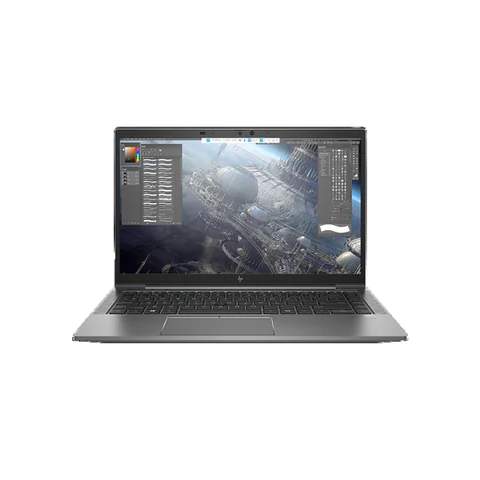
The best laptop for architecture students in Kenya depends on the stage of the course and the software you must run. A machine for early drawings and presentations is a different purchase from one intended for complex building models or rendering. Start with your department’s software list, exact versions and representative projects. Then check RAM, the full CPU model and the exact graphics chip. A workstation name or an advertisement saying “4GB graphics” does not establish suitability.
The catalog offers a ZBook Firefly configuration without a specified dedicated GPU, plus two workstation listings that mention 4GB graphics without identifying the chip. They are candidates to investigate, not verified rendering recommendations. The missing GPU details must be resolved before a software-specific purchase.
Quick comparison: listed configurations and prices
| Model | Advertised configuration | Listed price | Listing shop |
|---|---|---|---|
| HP ZBook Firefly 14 G8 | Intel Core i5 (11th generation); 16GB RAM; 256GB SSD | KSh 35,640 | Onit Computers Nairobi |
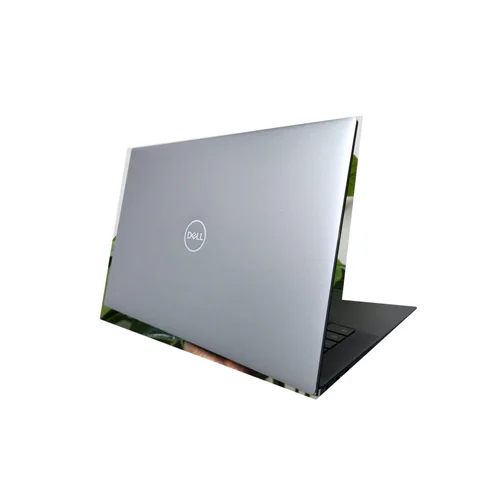
| Dell Precision 5550 | Intel Core i7 (10th generation); 16GB RAM; 256GB SSD; 4GB graphics configuration; GPU model to confirm | KSh 59,400 | Onit Computers Nairobi |
| HP ZBook Firefly 14 G8 | Intel Core i7 (11th generation); 16GB RAM; 256GB SSD; 4GB graphics configuration; GPU model to confirm | KSh 59,400 | Onit Computers Nairobi |
Prices checked on Laptop Prices Kenya on 20 November 2026. These are advertised configurations, all listed as Ex-UK refurbished. They are not checkout confirmations or a survey of every Kenyan seller. Confirm the exact unit, current total, battery condition and written terms with the named shop.
Choose by course stage and software version
Ask your department what you will use during the next academic year. Separate 2D drafting, building information modelling, image work and rendering. BIM means building information modelling: software uses a structured building model rather than only separate drawings. Each workflow can change which hardware matters most.
Next, ask whether heavier assignments use campus workstations. A personal laptop can support preparation and lighter work while another machine handles demanding tasks, if the course allows that arrangement. Do not assume lab access exists or will be available near deadlines; confirm it first.
| Course workload | Decision to resolve | Evidence needed |
|---|---|---|
| Early drafting and presentations | Can the required apps and sample files run comfortably? | Exact application requirements and a project test |
| BIM coursework | Does the configuration meet the chosen version’s requirements? | CPU, RAM, OS, graphics and adequate free storage |
| Rendering and visualisation | Will the chosen engine use this GPU effectively? | Exact GPU, VRAM, driver support and representative scene test |
Use current Revit requirements carefully
Autodesk’s Revit 2027 requirements list 16GB RAM for an entry-level configuration and recommend 4GB video memory. Those figures are not a promise that every student project will run comfortably. Check the requirements for the exact version used by your department, including the operating system and free storage.
Keep installation space separate from working space. Project files, linked models, temporary files and other applications need room beyond the installation itself. A 256GB SSD can become restrictive depending on what you store. Obtain a suitable upgrade quote before deciding that the advertised laptop price covers the whole setup.
Presentation and image-editing work also needs its own checks. Adobe publishes Photoshop’s desktop technical requirements. Confirm the relevant version and graphics support rather than assuming that a machine suitable for one application is automatically suitable for all of them.
What the catalog does and does not establish
The lower-priced ZBook Firefly 14 G8 listing advertises an 11th-generation Core i5, 16GB RAM and a 256GB SSD. It does not specify a dedicated GPU in the configuration record. Therefore, the ZBook family name is not evidence that this particular offer includes the graphics hardware your application needs.
The Dell Precision 5550 offer lists a 10th-generation Core i7, 16GB RAM, a 256GB SSD and 4GB graphics. However, the graphics field explicitly says the GPU model needs confirmation. Ask for the complete chip name and a screenshot from the actual unit. Do not infer a particular NVIDIA GPU from the chassis name.
The second ZBook Firefly 14 G8 configuration advertises an 11th-generation Core i7, 16GB RAM, a 256GB SSD and 4GB graphics. Again, the chip itself remains unspecified. Compare it with the Precision only after the seller supplies matching information. There is no evidence here to rank their rendering speed.
Send a precise GPU information request
Ask the seller to provide the full laptop configuration, full CPU number, exact GPU name and dedicated video memory. Request evidence from the actual unit rather than a general model brochure. VRAM is memory used by the graphics processor; it is distinct from the laptop’s main RAM.
Then compare that hardware with the renderer or visualisation tool you will use. Some workflows depend on particular graphics technologies and driver support. A memory figure alone cannot confirm compatibility. If the shop cannot identify the GPU, keep that offer outside a confirmed software shortlist.
You can use the quotation request to state an exact requirement. Include the application version and any department-recommended configuration. This produces a more useful response than asking only for an “architecture laptop”.
Test a project, not a blank application window
- Prepare a permitted, non-sensitive course sample with the necessary linked files.
- Confirm the application version and the laptop’s power settings.
- Open the sample and perform the tasks you expect to use.
- Check navigation, view changes, saving and any required export.
- For rendering, test the actual engine and chosen device where practical.
- Observe cooling behaviour, stability and usable free storage.
Record the conditions so another candidate receives a comparable test. Simply opening the program demonstrates much less than using a representative project. We have not performed these tests on the shortlisted units, so their inclusion should not be read as a performance certification.
Balance studio work and carrying the laptop
A more powerful setup may also change charger size, noise and carrying weight. Ask for actual measurements rather than assuming every mobile workstation feels the same. If you work mainly in a studio, an external screen may help, but confirm the required display connection.
For refurbished machines, inspect the screen, keyboard, hinges and battery. Ask whether the charger matches the unit’s required power. Keep the warranty scope and any upgrade arrangements in writing. The used-laptop checklist provides a starting inspection routine.
Common questions
Is 16GB RAM enough for architecture?
It appears in some entry-level application requirements, but your project and software version can need more. Follow the course specification and test a representative model.
Does “4GB graphics” prove that a laptop is suitable for rendering?
No. You still need the chip name, compatibility details and evidence for the intended workload. The two listings here leave that crucial question open.
Should I buy one of these workstation listings immediately?
Resolve the missing details first. A conditional candidate is useful for research, but it is not a verified recommendation for your software.
Choose the best laptop for architecture students in Kenya
Start with the course, verify the exact hardware and test a project before committing. Explore the engineering laptop hub, then request a configuration-specific quote for the requirements your department confirms.
Research method and sources
This AI-assisted guide compares published specifications and advertised marketplace offers checked on 20 November 2026. It is not a hands-on review. Individual battery life, exact CPU part numbers and any omitted graphics details remain unverified. Laptop Prices Kenya helps buyers compare independent shops; the selling shop handles the sale and its own warranty terms.
Leave a Reply