The best laptop for working from home in Kenya should keep your daily apps responsive while you share a screen, join calls and move between documents. Start by comparing a 16GB RAM laptop with an SSD. Then check the camera, microphone, network connection and monitor ports. An expensive processor will not fix an unstable connection or an uncomfortable desk. This guide compares listed configurations and shows how to spend on a complete home-office setup.
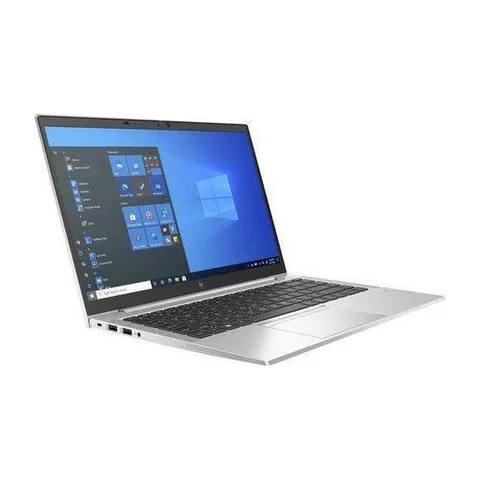
Our first configuration to investigate is the HP EliteBook 840 G8 with 16GB RAM. The ThinkPad T480s offers more listed SSD space at a lower price. The Dell Latitude 5420 is another option, but its advertised 8GB RAM needs a workload check or a confirmed upgrade quote.
Quick comparison: listed configurations and prices
| Model | Advertised configuration | Listed price | Listing shop |
|---|---|---|---|
| HP EliteBook 840 G8 | Intel Core i5 (11th generation); 16GB RAM; 256GB SSD | KSh 37,800 | Onit Computers Nairobi |
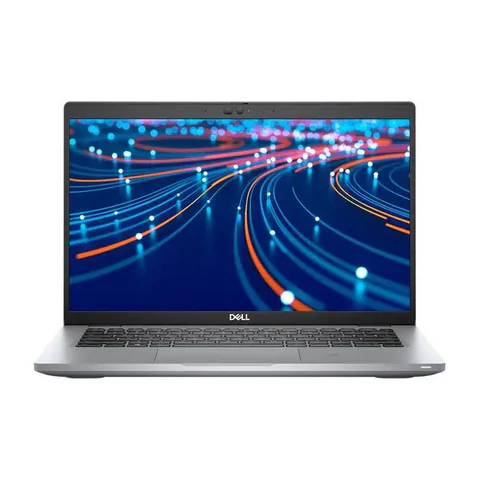
| Dell Latitude 5420 | Intel Core i5 (11th generation); 8GB RAM; 256GB SSD | KSh 37,800 | Onit Computers Nairobi |
| Lenovo ThinkPad T480s | Intel Core i7 (8th generation); 16GB RAM; 512GB SSD | KSh 29,700 | Onit Computers Nairobi |
Prices checked on Laptop Prices Kenya on 20 November 2026. These are advertised configurations, all listed as Ex-UK refurbished. They are not checkout confirmations or a survey of every Kenyan seller. Confirm the exact unit, current total, battery condition and written terms with the named shop.
Choosing the best laptop for working from home in Kenya
Write down what happens during your busiest hour. Perhaps you join a call, share a spreadsheet, keep email open and use a browser-based customer system. That combination matters more than whether an advertisement describes the laptop as suitable for office work.
For example, a writer working mostly in one document has different needs from a support agent running a call system and several dashboards. A designer may need a particular graphics processor. Ask your employer about required software and device policies before choosing hardware.
| Home-work pattern | Buy for | Test before purchase |
|---|---|---|
| Writing, email and browser tools | Comfortable keyboard, SSD and enough memory | Type a page with your normal tabs open |
| Calls plus screen sharing and spreadsheets | 16GB RAM as a practical target; dependable audio | Join a call and share an actual file |
| Two displays or specialist work | Confirmed display support and software compatibility | Connect the intended monitor or confirm the exact dock |
What the three listed options give you
The EliteBook 840 G8 listing pairs an 11th-generation Core i5 with 16GB RAM and a 256GB SSD. It is the most straightforward memory configuration in this particular home-office comparison. However, the seller has not supplied a full CPU part number or measured battery life. Treat those as questions to resolve, rather than reasons to assume premium performance.
The ThinkPad T480s configuration has 16GB RAM and a 512GB SSD. It can be worth comparing if your budget must also cover a monitor or headset. The trade-off is its older processor generation and refurbished condition. Test the keyboard and cooling while using the applications that matter to your job.
The Latitude 5420 listing advertises an 11th-generation Core i5, 8GB RAM and a 256GB SSD. It belongs on the comparison list, but its lower memory capacity changes the buying decision. Confirm upgrade support for the actual unit and get the cost in writing. Do not compare its sticker price with a 16GB configuration while ignoring that difference.
Spend on call quality before unnecessary upgrades
Start with a short trial call. Speak at your usual volume, listen through your intended headset and ask another person whether the microphone is clear. Test screen sharing too. A built-in camera that looks acceptable in a bright shop may look very different in your home office.
Lighting can change the result without changing the laptop. Position the screen so a window does not sit directly behind you. Next, check that your headset works with the laptop’s available connection. If it uses a USB receiver, include that receiver in the test rather than assuming Bluetooth will provide the same experience.
Zoom’s published desktop requirements distinguish basic access from a more comfortable setup and recommend 16GB RAM. Use your employer’s actual meeting software requirements as well. We have not measured call performance on these individual refurbished units.
Check the home network and desk connections
A new laptop cannot create reliable broadband. Try your normal work location and check whether calls remain stable there. If you plan to use Ethernet, confirm the laptop has the required socket or budget for a compatible adapter. Ask the shop to demonstrate the connection.
Monitor support also needs care. A USB-C connector alone does not prove that a port carries video or accepts charging. Confirm the exact port features in the manufacturer’s documentation, then test the cable or dock you intend to use. This matters most if you want a single cable for your screen, network and charger.
For long sessions, an external keyboard and monitor may improve your setup more than paying extra for a processor badge. Compare what you can afford as a complete package. Also make sure the desk has space for the equipment before adding it to the budget.
A home-office budget worksheet
- Record the exact laptop configuration and advertised price.
- Add essential memory or storage upgrades, with written shop quotes.
- Add the headset, monitor cable and adapter your job requires.
- Allow for software and your normal connection costs.
- Compare the final total with the money available, leaving room for an unexpected repair.
If the total goes over budget, remove optional features before cutting essentials. A touchscreen is not necessary for most desk work. In contrast, reliable audio may directly affect your ability to take calls. Use the memory and SSD guide when deciding which upgrades to keep.
Questions worth asking the seller
Can I test the laptop with my work applications?
Ask before visiting and use a demonstration account or non-sensitive sample files. Check login, screen sharing and any required browser extensions. Remove your accounts when the demonstration ends.
Do I need a dedicated graphics card for video meetings?
Do not buy one solely because a listing mentions graphics memory. Check the meeting application’s requirements and your other work. Specialist creative applications may change the answer.
Should I pay more for a refurbished laptop with a newer CPU?
Compare the full configuration and condition first. A newer CPU with insufficient memory, a weak battery or missing accessories may offer less value for your actual setup.
Build a setup that matches your workday
The best laptop for working from home in Kenya should pass your busiest-hour test and fit the whole desk budget. Request quotes for the required configuration, including any RAM upgrade and essential accessories. You can also use the business laptop hub to explore more current listings.
Research method and sources
This AI-assisted guide compares published specifications and advertised marketplace offers checked on 20 November 2026. It is not a hands-on review. Individual battery life, exact CPU part numbers and any omitted graphics details remain unverified. Laptop Prices Kenya helps buyers compare independent shops; the selling shop handles the sale and its own warranty terms.
Leave a Reply