The best laptop for teachers working from home in Kenya should support the whole lesson: preparation, screen sharing, marking and follow-up. For teaching with several apps open, compare 16GB RAM configurations with an SSD. Next, test your actual teaching platform, microphone and presentation method. A touchscreen can help some teachers, but only when it supports a task they use. Do not pay a premium for a feature that will stay idle.
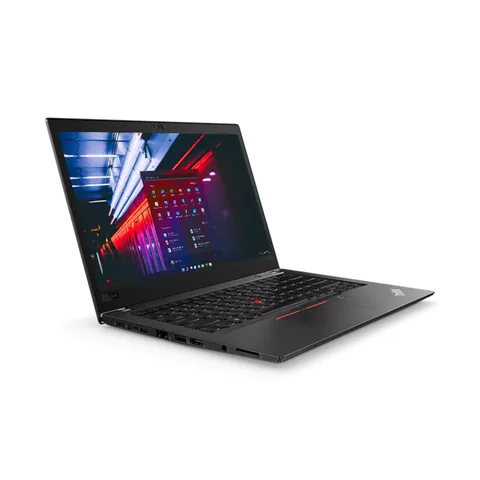
The ThinkPad T480s offers a lower listed price with 16GB RAM and a 512GB SSD. The EliteBook 840 G8 adds a newer advertised CPU generation. The EliteBook x360 1030 G8 is a convertible option to investigate if handwriting or tablet-style use is central to your lessons.
Quick comparison: listed configurations and prices
| Model | Advertised configuration | Listed price | Listing shop |
|---|---|---|---|
| Lenovo ThinkPad T480s | Intel Core i7 (8th generation); 16GB RAM; 512GB SSD | KSh 29,700 | Onit Computers Nairobi |
| HP EliteBook 840 G8 | Intel Core i5 (11th generation); 16GB RAM; 256GB SSD | KSh 37,800 | Onit Computers Nairobi |
| HP EliteBook x360 1030 G8 | Intel Core i7 (11th generation); 16GB RAM; 512GB SSD | KSh 59,400 | Onit Computers Nairobi |
Prices checked on Laptop Prices Kenya on 20 November 2026. These are advertised configurations, all listed as Ex-UK refurbished. They are not checkout confirmations or a survey of every Kenyan seller. Confirm the exact unit, current total, battery condition and written terms with the named shop.
Choose around the lesson you actually teach
A discussion-based language lesson needs different equipment from a mathematics lesson built around handwritten workings. A teacher recording demonstrations may also need more storage than someone who shares short slides. Before shopping, write down how learners will see, hear and receive each part of the lesson.
Use a sample lesson as your buying brief. List the meeting app, slide software, browser tabs, documents and any recording tool. Then identify the input method: keyboard, mouse, pen tablet or active stylus. This makes it easier to decide whether a convertible is worth its additional cost.
| Teaching style | Prioritise | Test |
|---|---|---|
| Slides and discussion | Clear audio, screen sharing and enough memory | Present a lesson while taking questions |
| Handwritten explanations | Confirmed pen support or a suitable external input device | Write equations and annotate a document |
| Recorded demonstrations | Storage headroom and stable recording workflow | Make and play a sample recording |
What each shortlisted configuration offers
The ThinkPad T480s listing includes an 8th-generation Core i7, 16GB RAM and a 512GB SSD. That combination gives a teacher more listed storage for lesson material within a lower device budget. However, the CPU generation and refurbished condition require inspection. Test screen sharing with the actual unit rather than relying on the processor badge.
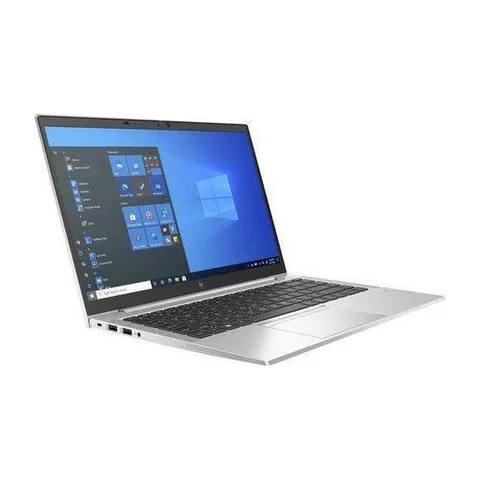
The EliteBook 840 G8 offer pairs an 11th-generation Core i5 with 16GB RAM and a 256GB SSD. It is a candidate for teachers who want a conventional 14-inch format. The smaller SSD is a trade-off if you save recordings locally. Ask for the cost of a suitable upgrade before comparing the complete price.
The EliteBook x360 1030 G8 option lists an 11th-generation Core i7, 16GB RAM and a 512GB SSD. Its convertible format makes it relevant to handwritten teaching, but the listing does not prove that a compatible active pen is included. Confirm pen support, the exact pen model and its price. Touch input by itself is not enough.
Test sound and screen sharing as one workflow
Open your teaching platform, share a slide and speak through the microphone you intend to use. Ask another person to join from a second device. They should check that your voice is clear and the shared material is readable. Make the test with the laptop connected to the same kind of headset or input device you will use at home.
Zoom’s desktop requirements recommend a more capable setup than its minimum access specification. For other platforms, check their own current requirements. A successful call in a shop also does not prove that your home connection will support a full class.
Keep the learner’s view in mind. Very small text or a full desktop with many windows can make a lesson difficult to follow. Test the specific presentation arrangement before buying a more expensive laptop to solve what may be a layout problem.
Decide whether a pen is worth paying for
If handwriting is central to your teaching, compare two complete setups. One is a compatible pen and convertible laptop. The other is a conventional laptop with an external writing device. Include every required accessory in the price and test the writing experience before choosing.
Try the kinds of marks you actually make: fractions, diagrams, annotations or language symbols. Check palm handling and whether the software saves your notes in a useful format. A general product photograph cannot establish that these features work on a particular used unit.
For teachers who mostly type and discuss, a good microphone or a more comfortable desk may deserve the budget first. Choose the feature that improves the lesson, not simply the model with the longest specification list.
Plan storage and pupil-data handling
Recordings, slide decks and downloaded resources can gradually fill an SSD. Keep only the material you need locally and maintain another copy of important work. If you use a school account, confirm the school’s rules for storing pupil information and sharing recordings.
Create a separate account for other family members who use the laptop. Check that class documents and saved sessions are not accessible from that account. Avoid placing learner details in a shop demonstration; use sample material instead.
Also confirm the required operating system and Windows 11 compatibility where relevant. If a school requires assessment or monitoring software, ask about the exact supported version before purchasing.
A teacher’s pre-purchase lesson test
- Open your normal lesson apps and resources.
- Share a slide and a document, then switch between them.
- Test the microphone, headset and any writing device.
- Make a short sample recording if recording is part of your work.
- Check available storage, the battery and the included charger.
- Request written terms for the laptop and any bundled accessories.
The RAM and storage guide can help with configuration questions. Use the used-device checklist for the physical inspection.
Common questions
Do all touchscreen laptops support a teaching pen?
No. Confirm active-pen support for the exact model and check the pen itself. A touch display may only provide finger input.
Do teachers need a dedicated graphics card?
Base that decision on the actual teaching software. Ordinary lesson preparation and specialist creative or technical instruction can have very different requirements.
Is a 256GB SSD too small?
It depends on your saved material and software. Add up your current files and expected recordings, then leave room for updates and future resources.
Choose the best laptop for teachers working from home in Kenya
Use one representative lesson to compare the whole setup. Request quotes with your teaching requirements, including any pen or writing device. The education laptop hub offers additional configurations to explore.
Research method and sources
This AI-assisted guide compares published specifications and advertised marketplace offers checked on 20 November 2026. It is not a hands-on review. Individual battery life, exact CPU part numbers and any omitted graphics details remain unverified. Laptop Prices Kenya helps buyers compare independent shops; the selling shop handles the sale and its own warranty terms.
Leave a Reply