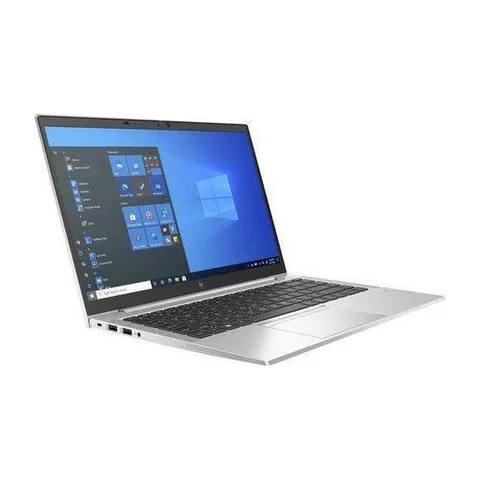
The best laptop for HR managers in Kenya should run the required office systems and support a sensible way to handle confidential records. Begin with application compatibility, enough memory for daily multitasking and a dependable backup process. Then confirm the organisation’s requirements for accounts, encryption and device management. A fingerprint reader or business-family name does not prove that a laptop meets those requirements.
The same purchasing approach helps legal offices, clinics and school administration teams. Their applications and peripherals differ, but all need the actual unit checked against a written workflow. The three listed configurations below provide starting points for research, rather than security certifications.
Quick comparison: listed configurations and prices
| Model | Advertised configuration | Listed price | Listing shop |
|---|---|---|---|
| HP EliteBook 840 G8 | Intel Core i5 (11th generation); 16GB RAM; 256GB SSD | KSh 37,800 | Onit Computers Nairobi |
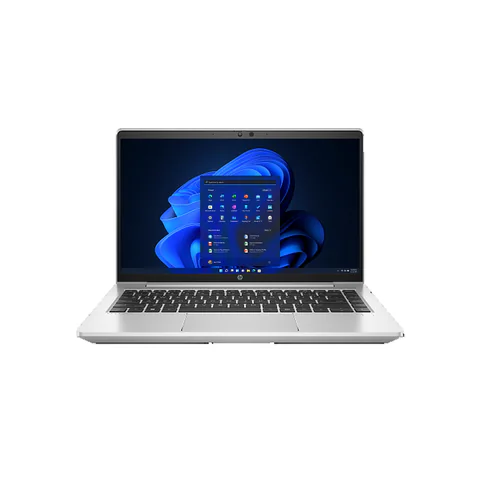
| HP ProBook 640 G8 | Intel Core i5 (11th generation); 16GB RAM; 256GB SSD | KSh 35,640 | Onit Computers Nairobi |
| Lenovo ThinkPad T14 | Intel Core i7 (10th generation); 16GB RAM; 256GB SSD | KSh 36,720 | Onit Computers Nairobi |
Prices checked on Laptop Prices Kenya on 20 November 2026. These are advertised configurations, all listed as Ex-UK refurbished. They are not checkout confirmations or a survey of every Kenyan seller. Confirm the exact unit, current total, battery condition and written terms with the named shop.
Write a role-specific acceptance brief
For an HR manager, list the payroll or personnel system, spreadsheets, recruitment calls and document tools. Ask whether the employer requires a particular Windows edition or management setup. A privately purchased laptop may need approval before it can access workplace records.
Legal professionals should confirm document, case-management and client-communication requirements. Doctors, nurses, clinic receptionists and medical students should obtain the exact practice or course software requirements. This is a hardware checklist, not a recommendation for handling clinical decisions or storing records outside an organisation’s rules.
| Office role | Compatibility question | Useful demonstration |
|---|---|---|
| HR and school administration | Payroll, personnel tools and meeting applications | Open a permitted sample record and report |
| Legal office | Document formats, case software and signing tools | Use a non-sensitive sample matter |
| Clinic or reception desk | Practice software and attached equipment | Test with the supplier’s demonstration workflow |
Assess the three listed configurations
The EliteBook 840 G8 listing contains an 11th-generation Core i5, 16GB RAM and a 256GB SSD. It is a useful configuration to compare for an administrator using several office tools. However, the listing does not confirm a fingerprint reader, installed Windows edition or a completed security setup.
The ProBook 640 G8 offer also lists an 11th-generation Core i5, 16GB RAM and a 256GB SSD. Compare its actual condition, keyboard and ports with the EliteBook rather than ranking by family name. Obtain the full CPU number and a written list of included accessories.
The ThinkPad T14 offer advertises a 10th-generation Core i7, 16GB RAM and a 256GB SSD. It provides another configuration within the comparison. The Core i7 label does not establish an advantage over the newer-generation Core i5 offers. Test the required applications and inspect the exact unit.
Separate device features from the organisation’s setup
A laptop can contain a useful feature without having it configured for your work. Ask the organisation’s IT contact what must be enabled, who manages recovery information and which user permissions are appropriate. Do not ask a retailer to decide workplace access policy.
If biometric login is important, confirm that the actual unit contains a working reader and that the required operating system supports it. Request a demonstration. A stock photograph showing a reader does not establish that the offered configuration includes one.
Also confirm Windows hardware compatibility. Where older Office add-ins matter, check Microsoft’s Office edition guidance with the application supplier before changing a working setup.
Test peripherals and recovery
Bring the connection details for essential printers, scanners, card readers or external displays. Ask the equipment supplier about drivers for the planned operating system. Where practical, test the actual workflow rather than only checking that a cable fits.
Use demonstration files for the shop visit. Avoid signing into live personnel or patient systems on a device that has not been accepted and configured. Record the acceptance result without leaving workplace credentials behind.
Finally, establish a recovery routine. Keep another copy of essential working documents where the organisation permits and test restoring a sample. A warranty may cover a hardware repair, but it does not automatically restore records or provide a replacement during downtime.
Purchasing checklist for a professional office
- Obtain the required applications, operating system and management rules.
- Check CPU, RAM, SSD and required device features on the actual unit.
- Test permitted sample work and essential peripherals.
- Confirm the supplier, serial number, charger and written terms.
- Complete the approved setup before using real confidential records.
For refurbished hardware, follow the physical inspection checklist. Keep the business’s setup costs beside the device price when comparing offers.
Common questions
Does a business laptop guarantee stronger security?
No product-family label establishes that a particular unit meets your organisation’s requirements. Confirm the features, software and management setup separately.
Is a fingerprint reader essential?
That depends on the organisation’s login policy. It should not distract from application compatibility, appropriate accounts and a recovery plan.
Can a refurbished laptop suit a professional office?
It can be assessed against the same written brief. Condition, support and the completed setup should decide whether the specific unit is appropriate.
Choose the best laptop for HR managers in Kenya by making the requirements explicit. Ask shops for a configuration-specific business quote, then have the organisation check the proposed setup. The business hub provides more comparison options.
Research method and sources
This AI-assisted guide compares published specifications and advertised marketplace offers checked on 20 November 2026. It is not a hands-on review. Individual battery life, exact CPU part numbers and any omitted graphics details remain unverified. Laptop Prices Kenya helps buyers compare independent shops; the selling shop handles the sale and its own warranty terms.
Leave a Reply