The best laptop for high school students in Kenya should fit the school’s requirements, the learner’s tasks and the family budget. Begin with the actual learning platform, document tools and assessment rules. Then compare screen comfort, keyboard condition, an SSD and enough memory for the normal lesson. A very low price is not useful if essential software will not work or the battery and charger need immediate replacement.
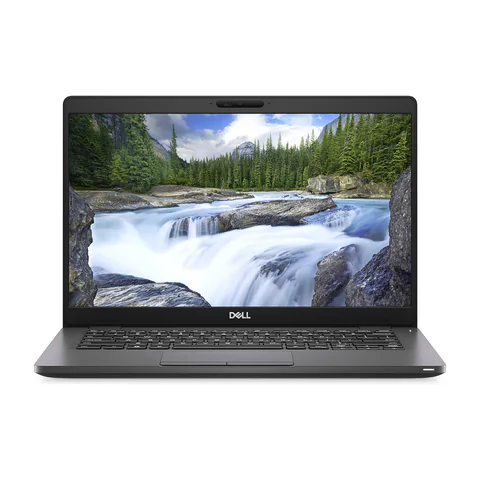
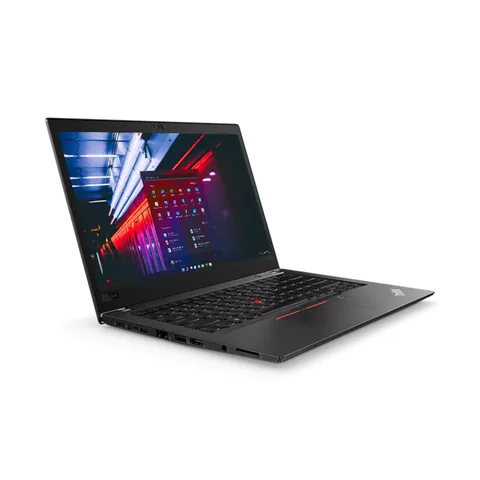
The Latitude 5300 and ThinkPad T480s examples provide lower-priced configurations to inspect. The EliteBook 840 G8 adds a listed 16GB RAM option. These are refurbished offers, so condition and written seller terms form an important part of the decision.
Quick comparison: listed configurations and prices
| Model | Advertised configuration | Listed price | Listing shop |
|---|---|---|---|
| Dell Latitude 5300 | Intel Core i5 (8th generation); 8GB RAM; 256GB SSD | KSh 19,980 | Onit Computers Nairobi |
| Lenovo ThinkPad T480s | Intel Core i5 (8th generation); 8GB RAM; 256GB SSD | KSh 22,140 | Onit Computers Nairobi |
| HP EliteBook 840 G8 | Intel Core i5 (11th generation); 16GB RAM; 256GB SSD | KSh 37,800 | Onit Computers Nairobi |
Prices checked on Laptop Prices Kenya on 20 November 2026. These are advertised configurations, all listed as Ex-UK refurbished. They are not checkout confirmations or a survey of every Kenyan seller. Confirm the exact unit, current total, battery condition and written terms with the named shop.
Get the school’s requirements before shopping
Ask which operating systems and browsers the school supports. Confirm whether lessons use installed software, browser tools, video meetings or a specific assessment application. If the school supplies an account, ask how the parent or learner should set up the device.
Next, list the work the student will do at home. Reading assignments, typing reports and joining classes differ from specialist design, programming or music work. Buy for the actual subjects rather than an advertisement promising a laptop for every course.
| Study pattern | Priority | What to try |
|---|---|---|
| Documents and research | Readable screen, SSD and usable keyboard | Read a PDF beside a writing document |
| Online lessons | Audio, camera and a stable connection | Join a sample lesson with the intended headset |
| Shared study at home | Separate accounts and a clear storage routine | Switch accounts and locate saved work |
Compare the listed choices carefully
The Latitude 5300 offer lists a 13.3-inch screen, 8GB RAM and a 256GB SSD. It leaves more room for other expenses than the higher-priced example here. However, ask the learner to read and type on that screen. A compact format is only helpful if the working view remains comfortable.
The lower-priced ThinkPad T480s configuration also lists 8GB RAM and a 256GB SSD, with a 14-inch screen. Its model-family name does not prove the condition of the keyboard, display or battery. Test those parts and confirm the exact CPU number.
The EliteBook 840 G8 offer advertises an 11th-generation Core i5, 16GB RAM and a 256GB SSD. The extra memory may be useful for several apps at once. However, it is not necessary to spend more simply to collect a larger number on a specification sheet. Compare it with the school’s actual needs and the remaining family budget.
Build a lesson test the learner can perform
- Open the school’s permitted demonstration platform or a sample lesson.
- Read a document at a comfortable text size.
- Type a short assignment and save it in a clear folder.
- Join a test call, checking both the microphone and sound.
- Unplug the charger and observe the battery during normal use.
- Check that the learner can find and reopen the saved assignment.
A student should take part in the test. Parents may notice a low price while the learner notices a keyboard that is hard to use or text that is too small. Neither perspective should replace the other.
Use the meeting platform’s requirements where relevant, and check Windows compatibility if the school requires that system. An installed copy alone does not prove the hardware meets support requirements.
Plan shared use and support
If siblings share the laptop, give each learner a separate account and a clear way to save work. Decide when the device is available for lessons and assignments. A shared machine may need a household schedule as much as additional hardware.
Ask who will install school software and help when an account or application stops working. Keep recovery information somewhere the parent can manage. Also make a backup of important assignments and test opening a copied file.
For learners in areas with unreliable internet, ask whether essential materials can be downloaded in advance. Test that they open without a connection. Do not assume a browser bookmark is an offline copy or that buying a newer laptop will improve the internet service.
Keep the full price within reach
Add the correct charger, any essential headset, required software and delivery to the written quote. Ask what happens if a fault appears soon after purchase and whether the battery has different terms. Refurbished grades vary, so inspect the actual unit instead of relying on a label.
The used-laptop checklist covers physical checks. The student hub provides a broader route for college and university requirements, where the course may introduce more demanding software.
Common questions
Should I buy the cheapest listed laptop?
Only after checking compatibility, condition and the complete cost. The lowest sticker price does not establish the lowest usable purchase cost.
Is 16GB RAM compulsory for schoolwork?
No universal capacity applies to every school task. Use the required applications and a realistic lesson test to decide.
Can one laptop serve two learners?
It may, if their lesson times and software allow shared use. Check scheduling, separate accounts and storage before relying on that arrangement.
Find the best laptop for high school students in Kenya by combining the school’s written requirements with the learner’s own trial. Request a quote for the complete study setup before making a payment.
Research method and sources
This AI-assisted guide compares published specifications and advertised marketplace offers checked on 20 November 2026. It is not a hands-on review. Individual battery life, exact CPU part numbers and any omitted graphics details remain unverified. Laptop Prices Kenya helps buyers compare independent shops; the selling shop handles the sale and its own warranty terms.
Leave a Reply