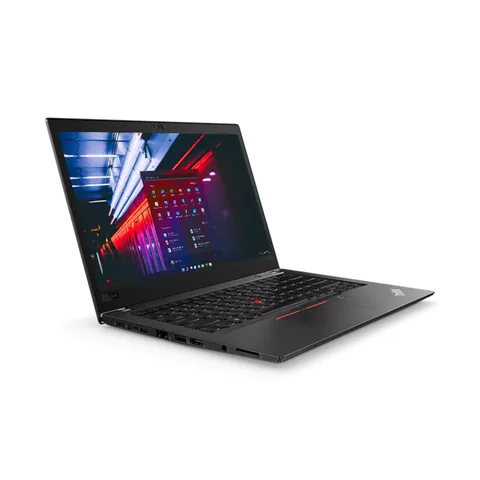
The best laptop for web development in Kenya should handle your editor, browser, build tools and local services together. For a typical multitasking starting point, compare 16GB RAM and an SSD, then run a representative project. A lightweight editor’s own minimum requirements do not describe the whole development environment. WordPress, PHP/Laravel, Java, frontend builds and backend services can place very different demands on a laptop.
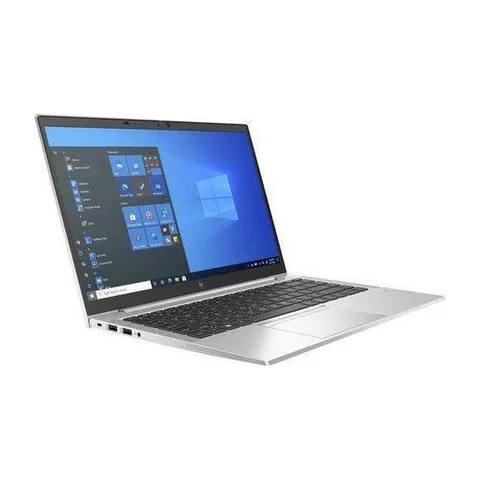
The listed T480s and EliteBook 840 G8 configurations provide two 16GB options to investigate. The 32GB EliteBook x360 example is relevant when a measured workload needs more memory. Its convertible features may be unnecessary for development, so compare the full cost against the actual need.
Quick comparison: listed configurations and prices
| Model | Advertised configuration | Listed price | Listing shop |
|---|---|---|---|
| Lenovo ThinkPad T480s | Intel Core i7 (8th generation); 16GB RAM; 512GB SSD | KSh 29,700 | Onit Computers Nairobi |
| HP EliteBook 840 G8 | Intel Core i5 (11th generation); 16GB RAM; 256GB SSD | KSh 37,800 | Onit Computers Nairobi |
| HP EliteBook x360 1030 G8 | Intel Core i7 (11th generation); 32GB RAM; 512GB SSD | KSh 61,560 | Onit Computers Nairobi |
Prices checked on Laptop Prices Kenya on 20 November 2026. These are advertised configurations, all listed as Ex-UK refurbished. They are not checkout confirmations or a survey of every Kenyan seller. Confirm the exact unit, current total, battery condition and written terms with the named shop.
Describe the development stack before buying
List the editor, language runtime, database, browser and supporting services. Also note whether you use containers, virtual machines, mobile emulators or local AI tools. Those additions can change the purchase much more than the broad label “coding”.
For a student, ask which tools the course expects during the next year. A computer-science or software-engineering course may introduce several stacks. The right buying brief includes the operating system and a representative assignment, not simply a preferred processor brand.
| Development workflow | What to measure | What to verify |
|---|---|---|
| Frontend and browser testing | Build responsiveness with normal tabs open | Editor, runtime and browser support |
| PHP, Laravel or local WordPress | Editor plus web server and database use | Required language, database and extension versions |
| Java or service-heavy backend work | Build tools and application memory together | Runtime version and project-specific needs |
| Containers and several services | Total concurrent resource use | Virtualization and host requirements |
Why an editor minimum is only one part of the brief
Visual Studio Code’s requirements describe the editor. Your project may add a compiler, local server, database and testing tools beside it. Therefore, do not select memory solely from the editor’s installation minimum.
For container-based work, check Docker’s current host requirements and the intended backend. Confirm the actual CPU and BIOS support before assuming a used machine can run the environment. Account for project data and downloaded images when sizing storage.
Frontend, backend and full-stack developers can all use a project trial. Choose a normal repository that you are allowed to demonstrate. Avoid sharing employer code or credentials with a retailer.
Compare the listed options by capacity and constraints
The T480s offer lists 16GB RAM and a 512GB SSD with an older Core i7 generation. Its storage and lower advertised price make it a useful comparison for budget-conscious developers. However, we have not timed builds or verified every toolchain on the actual unit.
The EliteBook 840 G8 offer advertises an 11th-generation Core i5, 16GB RAM and a 256GB SSD. It provides a newer listed CPU generation but less storage. Multiple development environments and local databases may make a storage quote worth obtaining before purchase.
The 32GB x360 1030 G8 configuration lists a 512GB SSD and an 11th-generation Core i7. Investigate it when memory observations justify the extra cost. Do not treat the higher capacity as proof of faster builds, and do not pay for the convertible format unless it adds value to your work.
A useful project acceptance test
- Confirm the intended operating system and supported runtime versions.
- Open a permitted sample repository in the chosen editor.
- Install or use the project dependencies through an agreed demonstration setup.
- Run the normal build, local service and browser workflow together.
- Observe memory use, available storage, fan behaviour and responsiveness.
- Repeat comparable tasks on each candidate under similar power settings.
Record what the test establishes and what it leaves unknown. A network download can affect timing. A successful small sample does not guarantee every production build. The purpose is to reveal a mismatch before paying, not to invent a precise benchmark.
Choose the operating system intentionally
Confirm the platform your course, employer or project supports. Linux users should check the exact hardware and distribution, including wireless, sleep and external displays. Mobile projects may introduce host-platform requirements beyond ordinary web work.
If you also need Windows business applications, account for that workflow rather than assuming a future installation will solve every problem. Similarly, confirm how paid development tools and plugins are licensed. A retailer’s installed application is not a substitute for access to your own supported environment.
Leave room for the setup around the laptop
A comfortable keyboard and external screen connection can matter during long coding sessions. Test both before buying. Add required adapters and storage upgrades to the complete quote.
Use the memory and SSD guide and the programming laptop hub for wider comparisons. Inspect refurbished hardware using the used-device checklist.
Common questions
Is 16GB RAM enough for full-stack work?
It is a practical starting configuration to investigate. The number of services and their working data can justify more. Measure a representative project.
Do I need a dedicated GPU for web development?
Base that purchase on a specific graphics or local-compute task. It is not a substitute for enough memory and a supported development stack.
Will Core i7 always compile faster?
No ranking follows from the badge alone. Exact CPU, cooling, project and power settings matter.
Find the best laptop for web development in Kenya by testing your stack. Request a quote with the RAM, storage and operating-system requirements, then compare the complete configurations.
Research method and sources
This AI-assisted guide compares published specifications and advertised marketplace offers checked on 20 November 2026. It is not a hands-on review. Individual battery life, exact CPU part numbers and any omitted graphics details remain unverified. Laptop Prices Kenya helps buyers compare independent shops; the selling shop handles the sale and its own warranty terms.
Leave a Reply